FormsEarly access on TestFlight
Forms, surveys and quizzes.
Answers where you work.
SRG+ Forms is the app for questions you send to people: a lead form for your website, a feedback survey for your customers, a safety quiz for your crew. Build it on your Mac or iPhone, or ask your AI to build it. The answers land in your SRG+ account.
Early access on iPhone, iPad and Mac. Not yet in the App Store.
What is SRG+ Forms?
SRG+ Forms is an app to make forms, surveys and quizzes and to read the answers. It runs on Mac, iPhone and iPad, people answer on a web page, and it signs in with your SRG+ account like the rest of the SRG+ family.
- Status
- Early access on TestFlight
- Apps
- Mac, iPhone, iPad
- For the people who answer
- A web page, no account
- Price
- Not announced yet
Three kinds of questions.
One app.
-
Forms
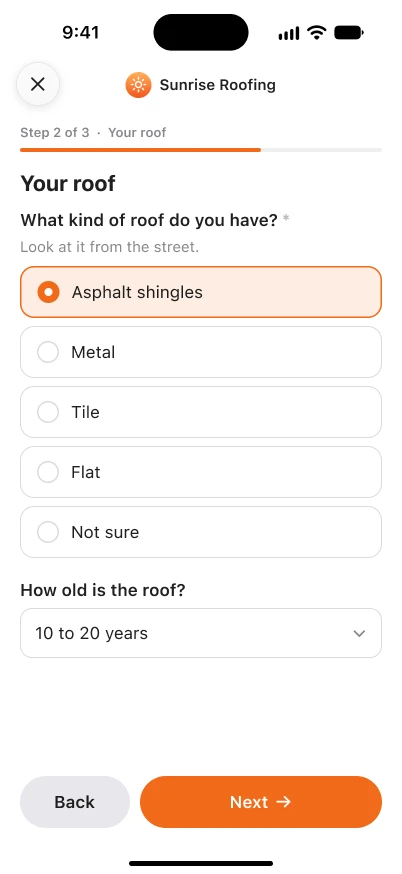
Collect leads, bookings and requests. Split a long form into steps, show a question only when an earlier answer matches, and add a text message consent box that starts unchecked and keeps its words exactly as shown.
Example: a free roof inspection request.
-
Surveys
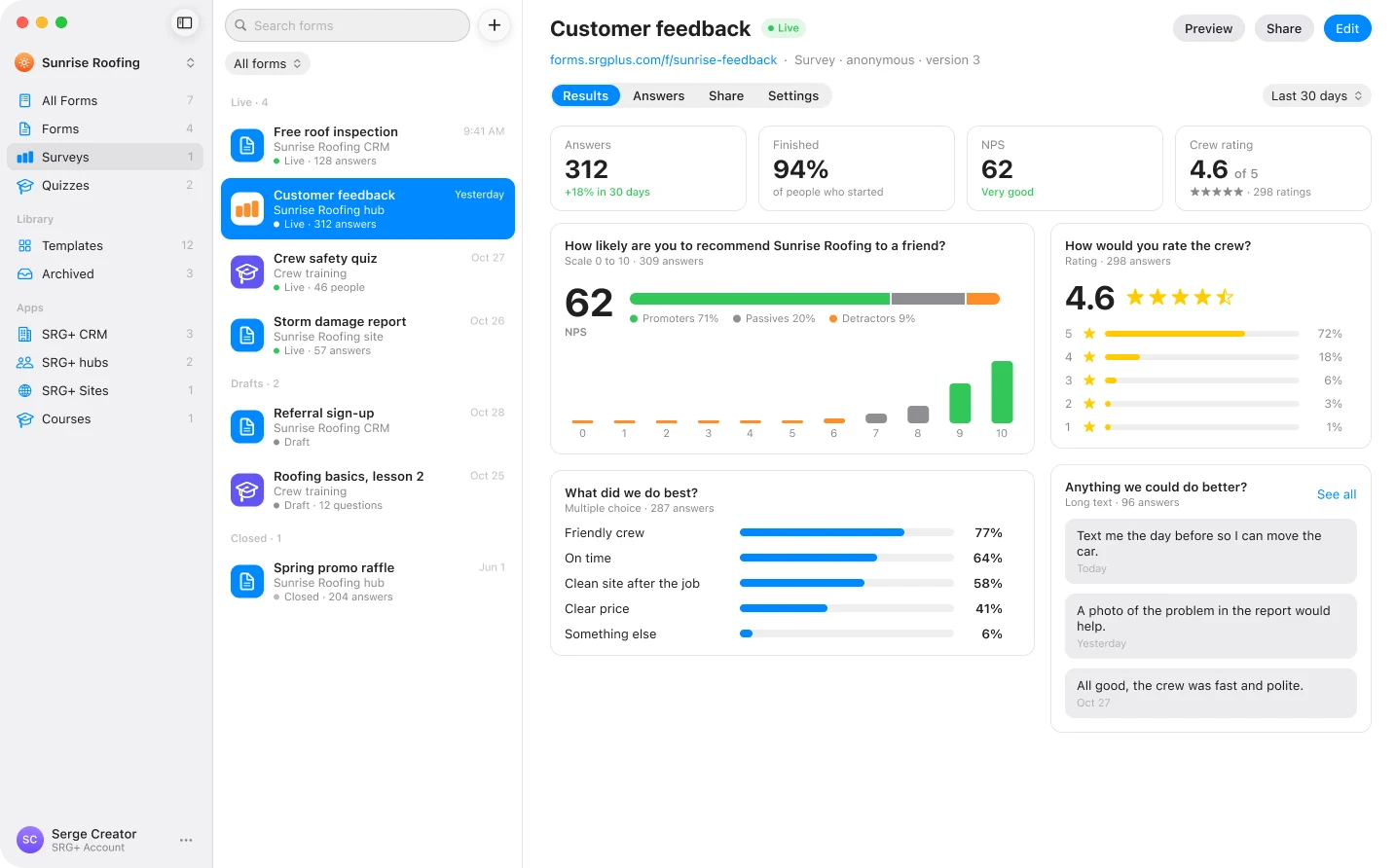
Ask for opinions with ratings, a 0 to 10 scale that gives you an NPS score, ranking and matrix questions. Every question gets its own summary, with the written answers underneath.
Example: how did the crew do?
-
Quizzes
Check what people know. Mark the right answers, give points, set a pass mark, show a result screen for each score range and, if you like, the right answer with a short explanation.
Example: a crew safety quiz.
Build it where you are.
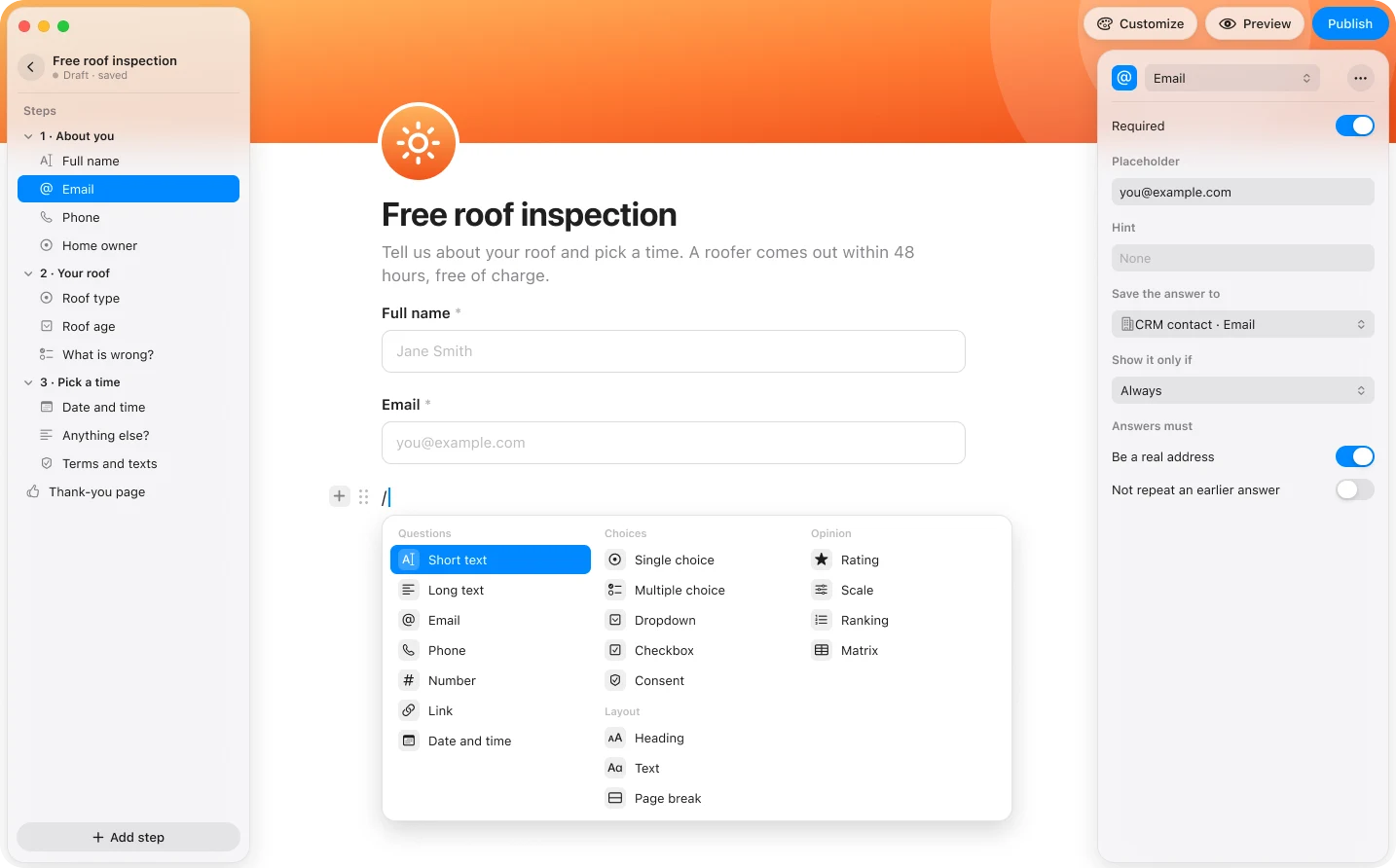
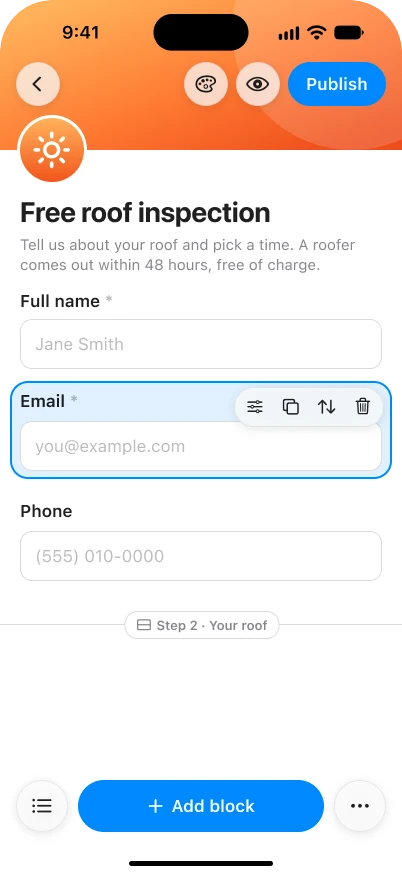
Type a slash to add a question. Pick the kind, set it to required, say where its answer is saved, and drag it into place. Your draft stays private until you press Publish, and people only ever see the published version.
- Slash menu
- Steps
- Show only if
- Draft and Publish
- Preview
See the answers
as they come in.
Each question has its own summary: how many picked each choice, the average rating, the NPS score, and the latest written answers. Export everything as a CSV file when you want it in a spreadsheet.
Part of your SRG+ family.
-
Answers that reach your CRM
A form can create a contact in SRG+ CRM and email your team the moment someone answers, so a lead never waits in a spreadsheet. This is being checked in testing.
-
Ask your AI
Add one address to Claude or ChatGPT, sign in with SRG+, and ask for a form, a survey or a quiz in plain words. Then ask how it is doing. This is being checked in testing.
How SRG+ MCP works
SRG+ Forms next to
Tally, Typeform and Google Forms.
An honest look. The others are mature and widely used; SRG+ Forms is in early access, so its price and plans are not set. What they list is taken from their own public pages.
| SRG+ Forms | Tally | Typeform | Google Forms | |
|---|---|---|---|---|
| Price | Not announced yet | Free plan with unlimited forms and submissions. Pro is $24 a month. | From $39 a month, or $28 a month billed yearly (Basic, 100 responses a month). | Part of Google Workspace. See Google for its pricing. |
| Show a question only if an earlier answer matches | Yes | Yes, on the free plan | Yes, from the Basic plan | Yes |
| Where answers go | Your SRG+ Forms results, a SRG+ CRM contact, your team's email, a CSV file | Google Sheets, Notion, Airtable, Zapier, Make and webhooks | Integrations and webhooks | Google Sheets |
| Build with your AI assistant | Through SRG+ Connect with Claude or ChatGPT (in testing) | Not listed on its pricing page | AI form creation inside Typeform (Basic and up) | Not listed on its Forms page |
| Same account as your CRM, Docs and Teams | Yes, one SRG+ sign-in | Separate account | Separate account | Google account |
Read on October 29, 2026 from tally.so/pricing, typeform.com/pricing and workspace.google.com/products/forms. Plans and prices change, so check their pages before you decide.
Questions
What is SRG+ Forms?
SRG+ Forms is the SRG+ app for questions you send to people: lead forms, customer surveys and quizzes. You build them in the app on your Mac, iPhone or iPad, or ask your AI to build them. People answer on a web page, and the answers arrive in your SRG+ account.
Is SRG+ Forms available now?
Yes, in early access. Download it from TestFlight at testflight.apple.com/join/F86KJQCd on iPhone, iPad or Mac. It is not yet in the App Store, and the price is not announced.
What can I make with SRG+ Forms?
Three kinds. Forms collect leads, bookings and requests. Surveys ask for opinions with ratings, a 0 to 10 scale that gives an NPS score, ranking and matrix questions. Quizzes check knowledge with right answers, points, a pass mark and result screens.
Which question types does it have?
Short text, long text, email, phone, number, link, date and time, single choice, multiple choice, dropdown, checkbox, rating, scale, ranking, matrix and a consent box. You can also add headings, plain text and page breaks, and a question can show only if an earlier answer matches.
Where do the answers go?
You read them in SRG+ Forms, with a summary for each question, and you can export them as a CSV file. A form can also create a contact in your SRG+ CRM and email your team. Both are being checked in testing.
Can my AI assistant build a form?
Yes, through SRG+ Connect. Add https://connect.srgplus.com/mcp to Claude or ChatGPT, sign in with SRG+, and ask for a form, a survey or a quiz in plain words, then ask for its results. This is being checked in testing.
Do people who answer need an account?
No. By default they open a link and answer. You can limit a form to one answer per device, per account or per email.
How is SRG+ Forms different from Tally, Typeform and Google Forms?
SRG+ Forms is part of the SRG+ family, so one sign-in covers your forms, CRM, Docs and Teams, and answers can go straight to a CRM contact. Your AI assistant can build forms and read results through SRG+ Connect. Tally, Typeform and Google Forms are mature stand-alone products; SRG+ Forms is still in early access, so check the comparison table below for what each lists today.
How much does SRG+ Forms cost?
The price is not announced yet. SRG+ Forms is in early access, and plans will be published on srgplus.app/pricing when it is released.
Get SRG+ Forms
on TestFlight.
Early access on iPhone, iPad and Mac. Install TestFlight from the App Store, then open the link to get SRG+ Forms.