FinanceEarly access on Mac
Cash, invoices and bills.
Agents do the work.
SRG+ Finance is the money app for your business. See the cash on every account, what clients owe and what you pay, on one screen. AI agents chase late invoices and read your bills, and nothing goes out without your Approve.
Early access on Mac. iPhone and iPad are coming to TestFlight. Not yet in the App Store.
What is SRG+ Finance?
SRG+ Finance is an app for the money side of a small business: the cash on every account, what clients owe, the bills you pay and every payment in and out. It runs on Mac, iPhone and iPad, AI agents do the routine work through SRG+ Connect, and you sign in with your SRG+ account like the rest of the SRG+ family.
- Status
- Early access on Mac
- Apps
- Mac, iPhone, iPad
- Works with
- QuickBooks, Stripe, Revolut, GoHighLevel
- Price
- Not announced yet
All your money.
One screen.
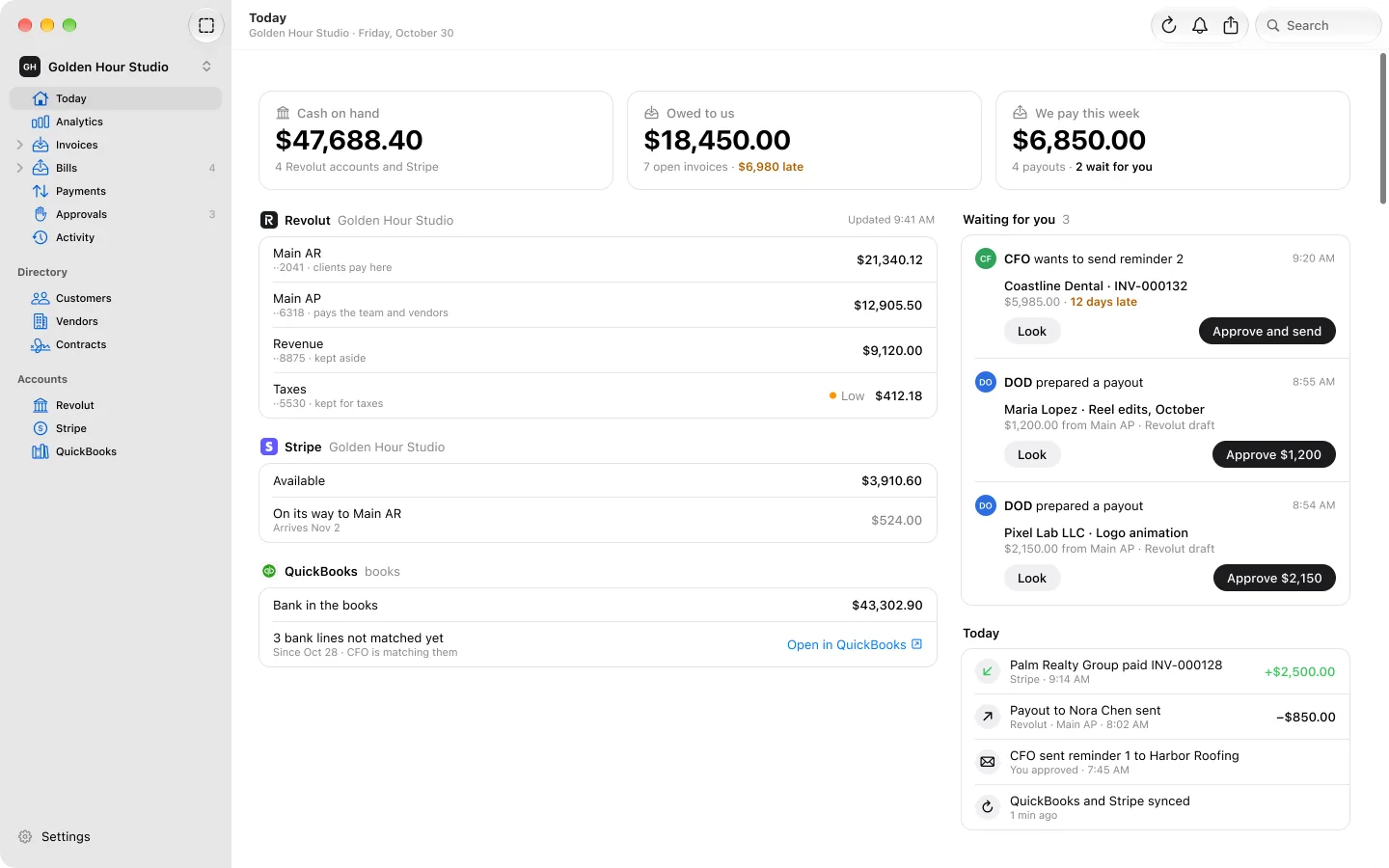
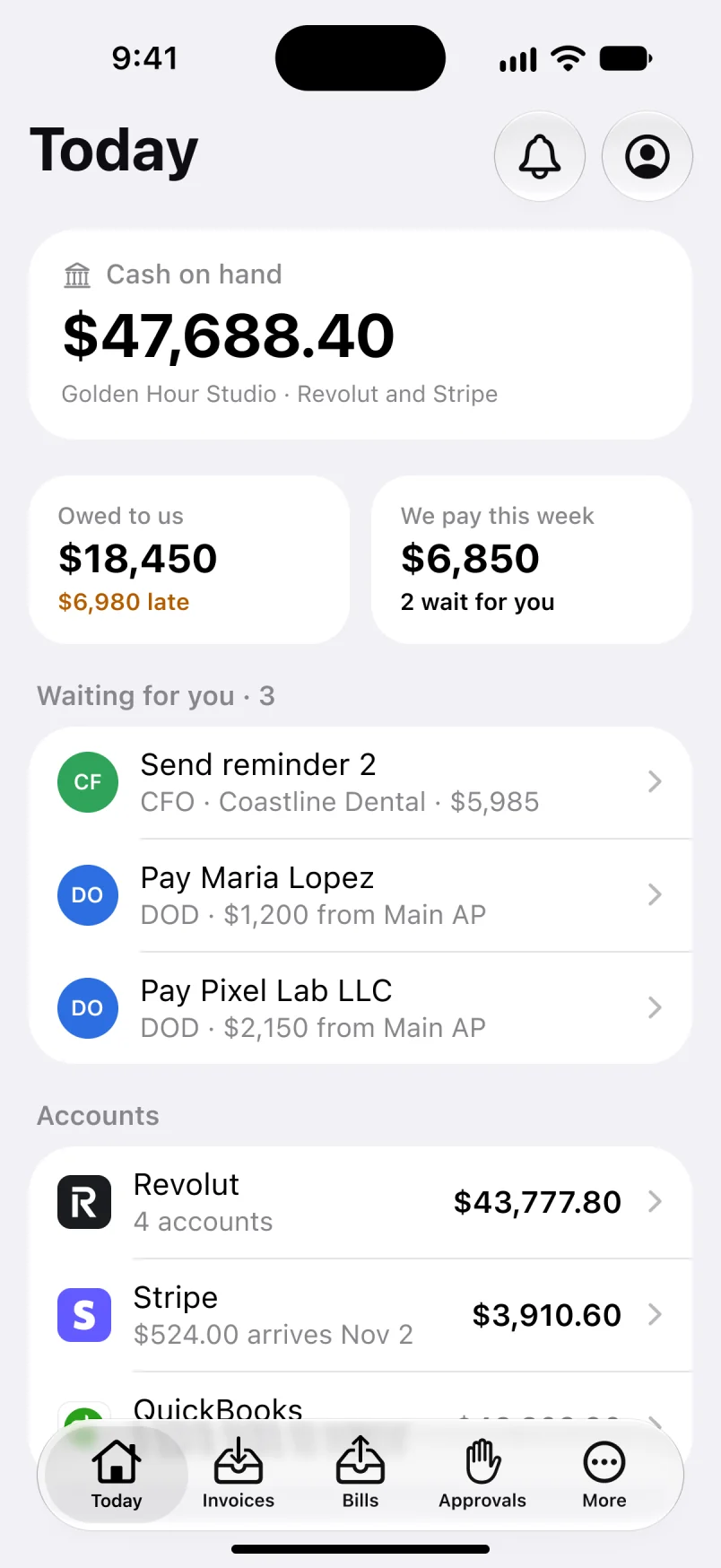
Today shows the cash on every account in Revolut, Stripe and QuickBooks, what clients owe you and how much of it is late, what you pay this week, and what is waiting for your OK.
- Cash on every account
- Owed to you
- Late
- Waiting for you
Every invoice.
Late ones first.
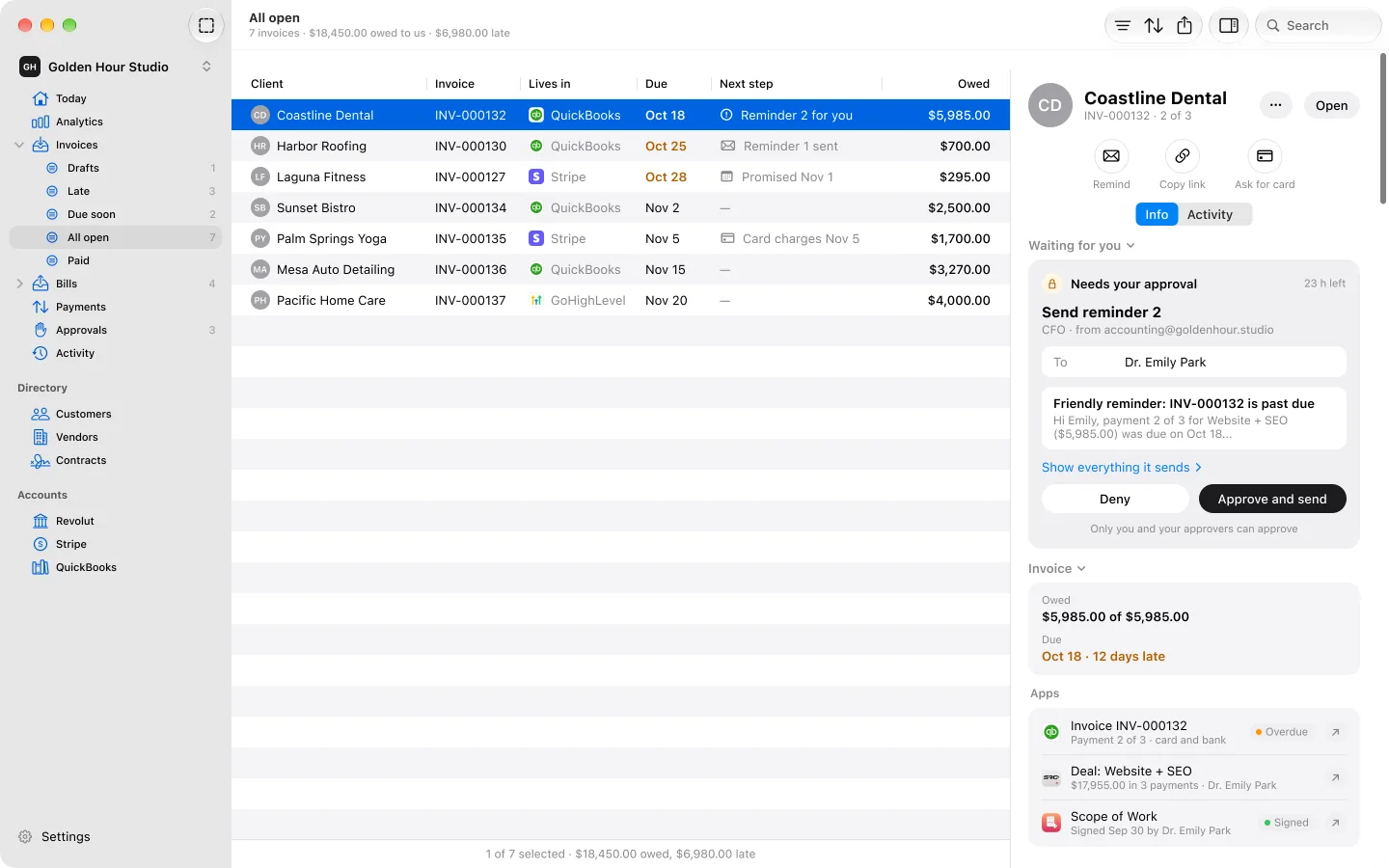
Every invoice from QuickBooks, Stripe and GoHighLevel in one list, the late ones on top with how many days late. Your CFO agent writes the reminder, and it goes out when you press Approve and send.
Bills read for you.
Approved in one tap.
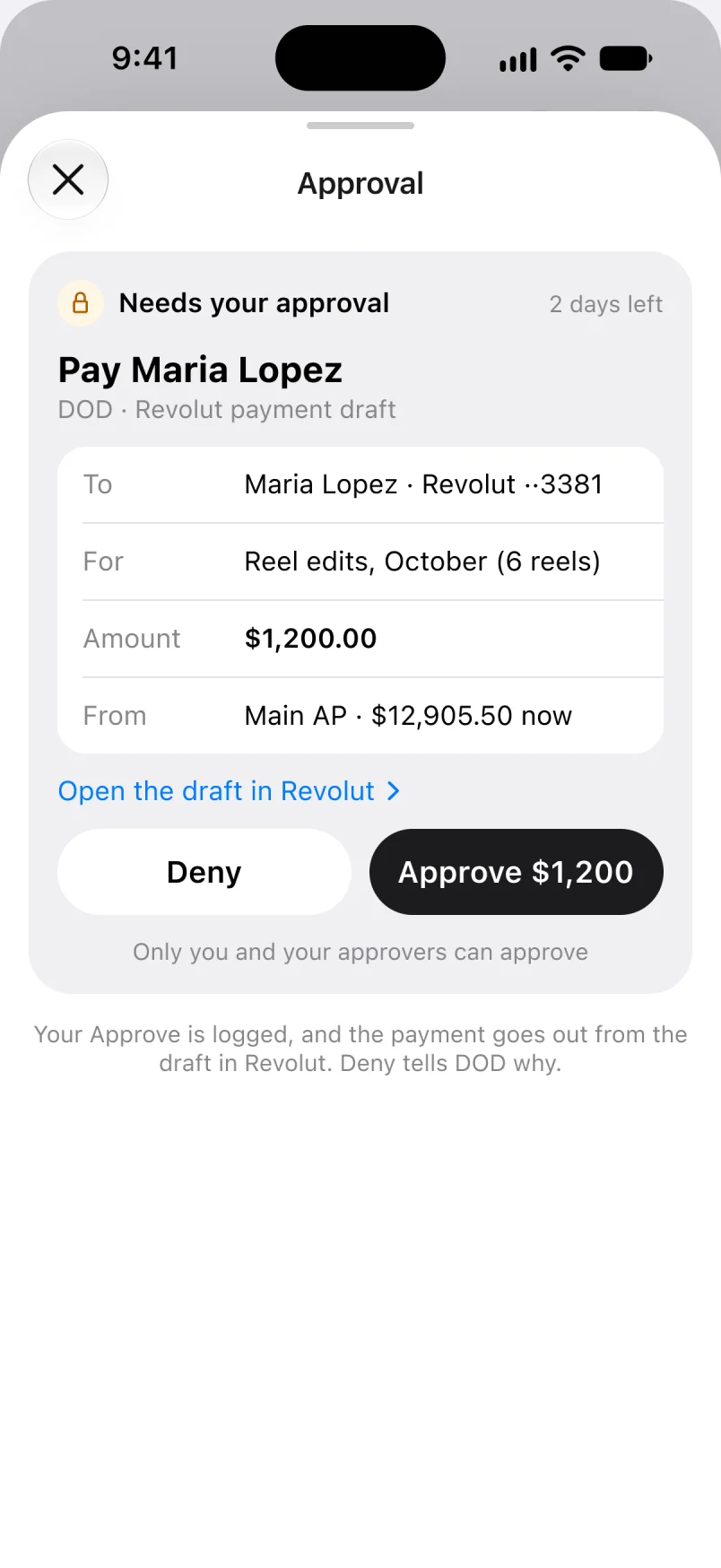
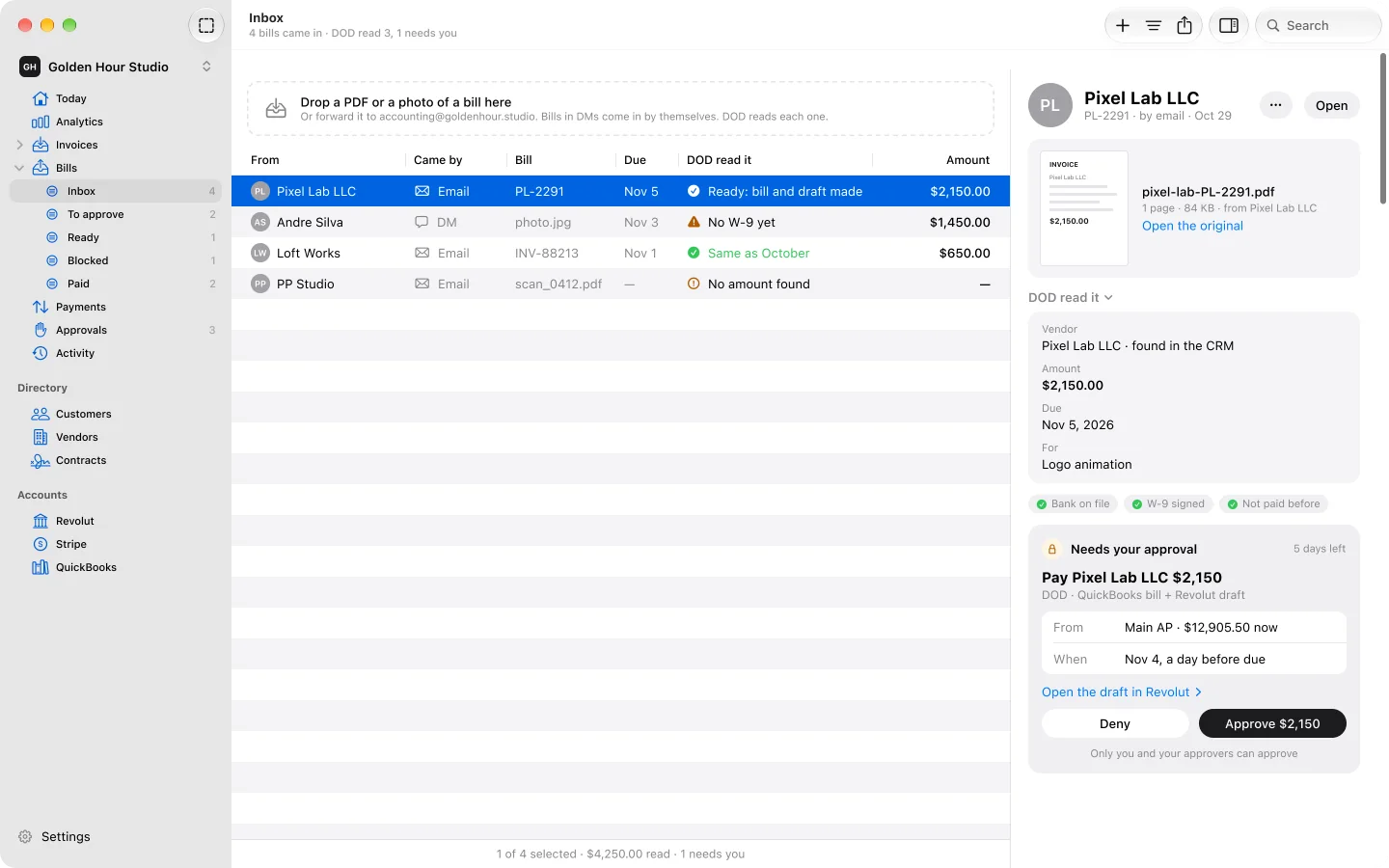
Forward a bill to your accounting email, or let it come in a DM. An agent reads it, finds the vendor in SRG+ CRM, checks the bank details and the W-9, and puts it in front of you. You approve it in one tap, and Revolut pays.
-
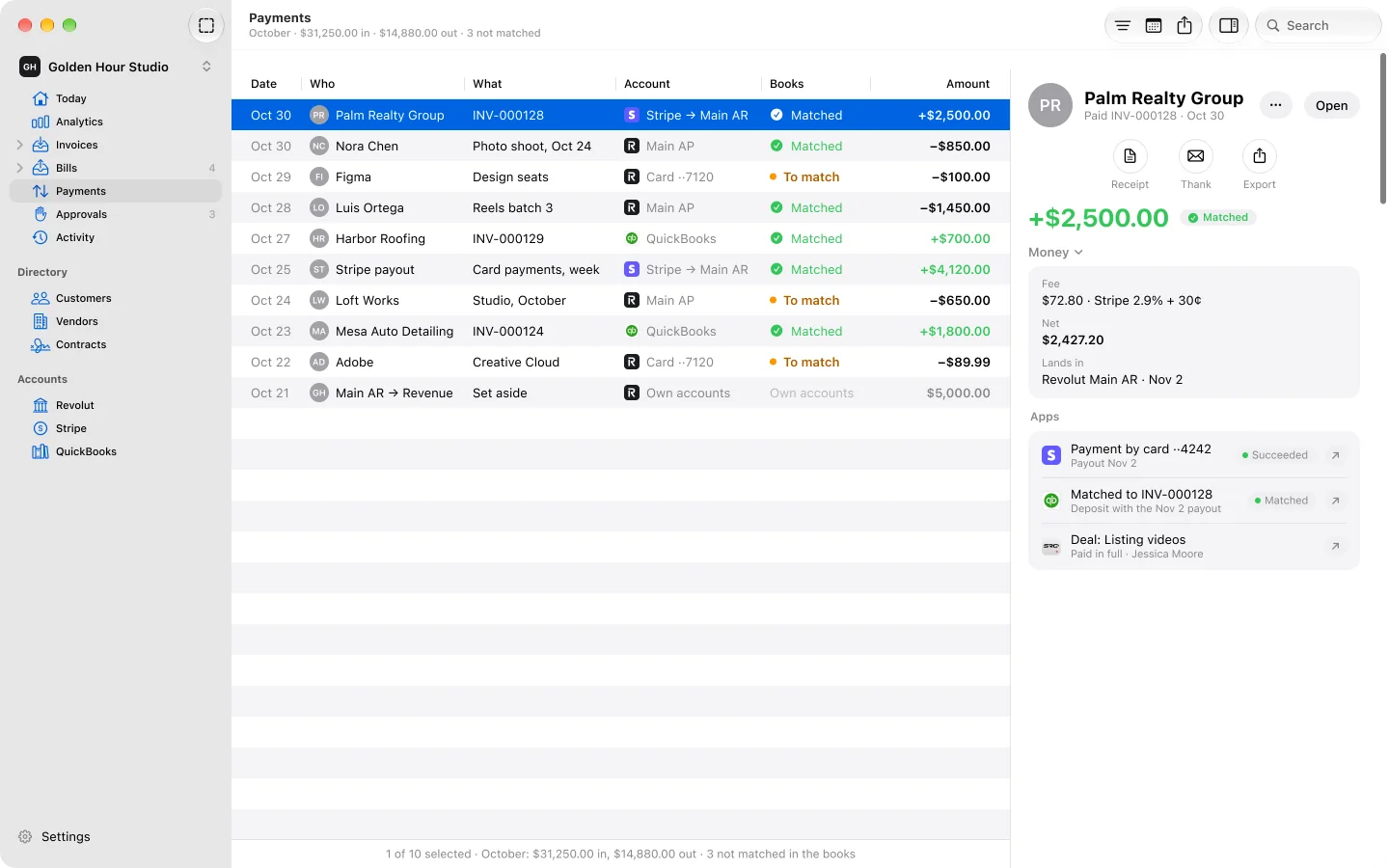
One log of every payment
Money in and money out from Revolut, Stripe and QuickBooks in one list, each payment matched to its invoice or bill.
-
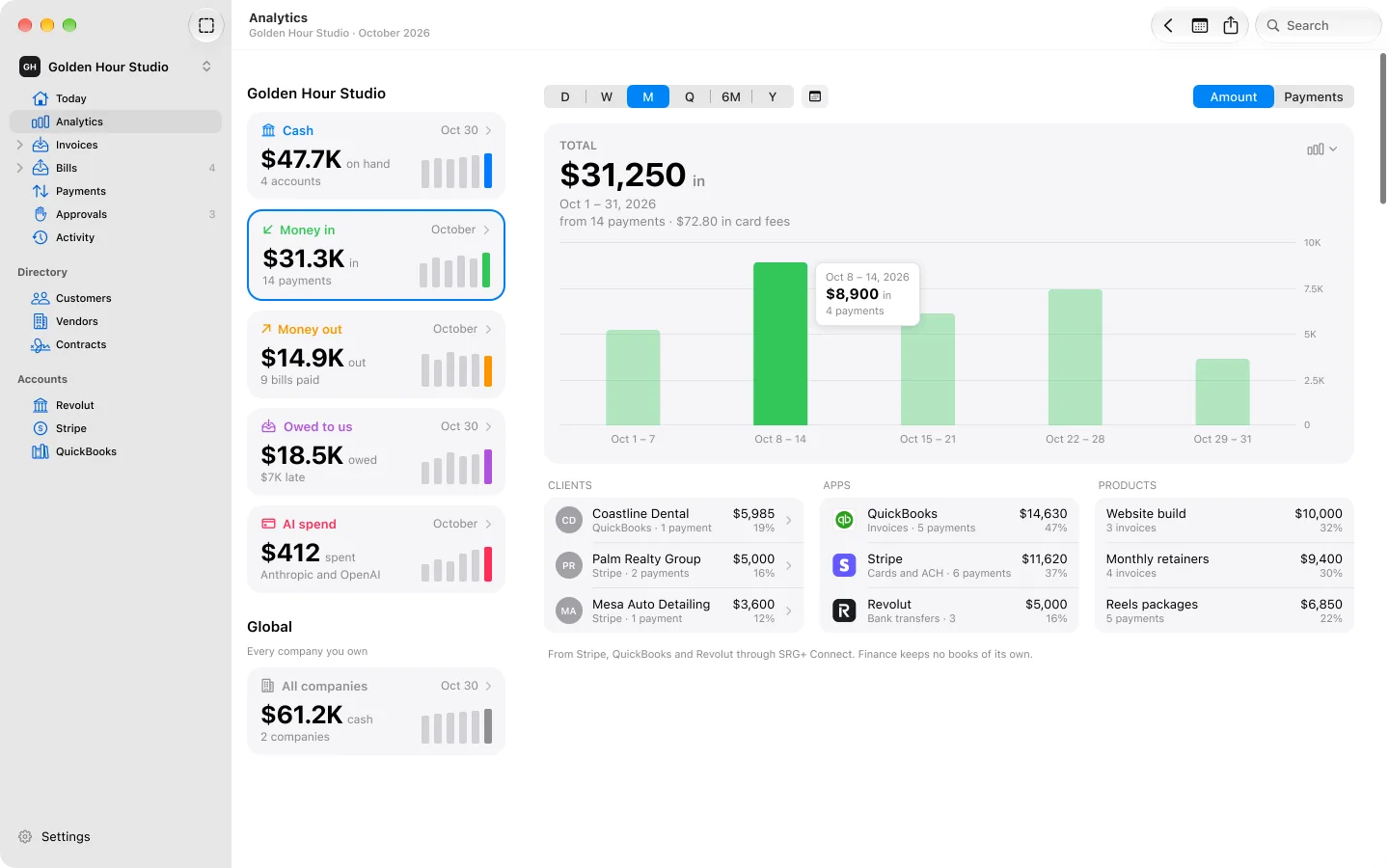
Analytics
Money in, money out and cash over time, who owes you, how long clients take to pay, and where the money goes.
SRG+ Connect
Agents do the work.
You keep the say.
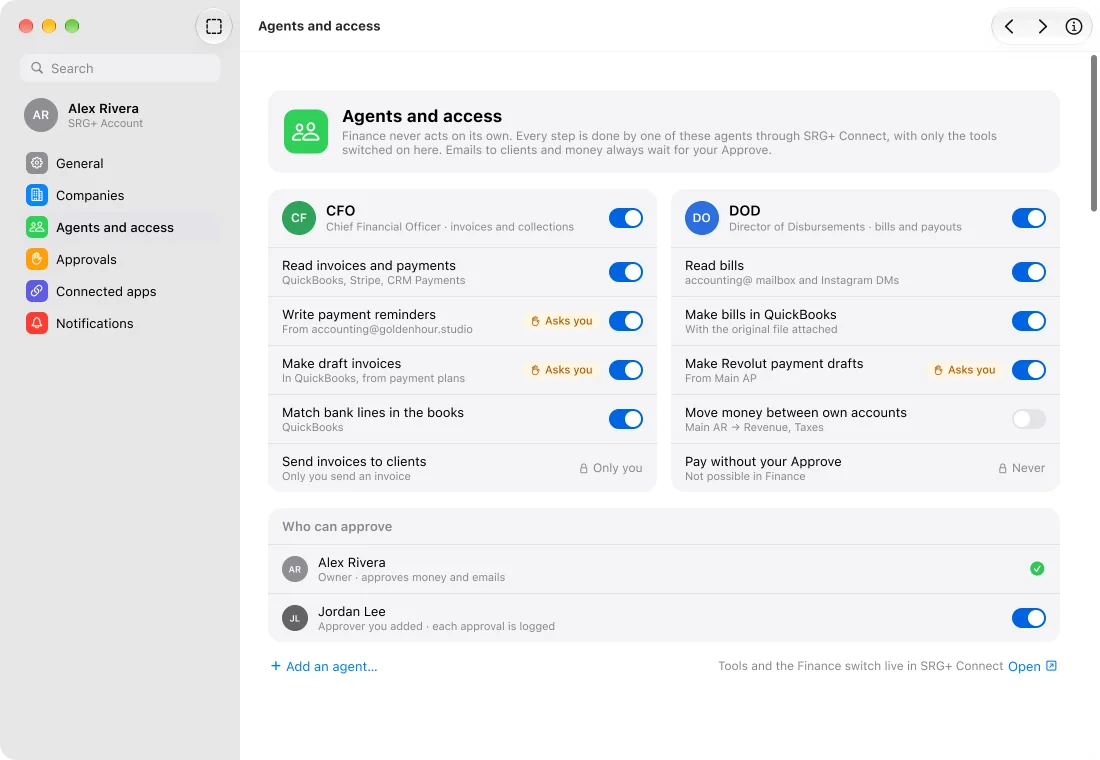
Two agents work in Finance through SRG+ Connect: a CFO for invoices and reminders, and a Director of Disbursements for bills and payouts. Each gets only the tools you switch on. Emails to clients and payments always wait for your Approve, and only you and the people you add can approve.
- CFO
- Director of Disbursements
- Asks you first
- Tools per agent
Works with what
you already use.
SRG+ Finance moves no money by itself and keeps no books of its own. It reads the apps you already use and puts them on one screen.
-
QuickBooks stays your books
Invoices, bills and the bank in your books show up in Finance. The books themselves stay in QuickBooks.
-
Stripe and QuickBooks take payments
Card and bank payments land as they do today, and Finance logs each one next to its invoice.
-
Revolut pays
Your Revolut accounts show up with their balances, and the money for a bill goes out from Revolut.
Part of your SRG+ family.
-
Customers and vendors from your CRM
Finance reads your customers and vendors straight from SRG+ CRM: who owes what, who has a card or bank on file, and which vendors signed a W-9. There is no second list to keep.
-
Sign in with SRG+
One SRG+ account signs you in to Finance on your Mac, iPhone and iPad, and to every other SRG+ app. Only you open your company's Finance, until you add someone.
See all SRG+ apps
Questions
What is SRG+ Finance?
SRG+ Finance is the SRG+ app for the money side of a business: the cash on every account, invoices, bills and every payment in and out, on Mac, iPhone and iPad. AI agents do the routine work, and you approve what matters.
Is SRG+ Finance available now?
Yes, in early access on the Mac: download it at srgplus.app/finance/download/mac. iPhone and iPad are coming to TestFlight, and their link will be on srgplus.app/download when it is ready. It is not in the App Store, and the price is not announced.
Does SRG+ Finance move money?
No. Finance never moves money by itself. Revolut pays your bills, and Stripe and QuickBooks take payments from your clients. Finance shows it all in one place and records your Approve.
Does it replace QuickBooks?
No. QuickBooks stays your books. SRG+ Finance reads the invoices, bills and bank in your books and keeps no ledger of its own.
Which apps does it work with?
QuickBooks, Stripe, Revolut and GoHighLevel. Your customers and vendors come from SRG+ CRM, and you sign in with your SRG+ account.
What do the AI agents do?
A CFO agent watches your invoices and writes payment reminders. A Director of Disbursements reads the bills that come by email or DM and prepares each payment. They work through SRG+ Connect with only the tools you switch on, and every email to a client and every payment waits for your Approve.
Who can see my company's money?
Only you, at first. You can add people as approvers or viewers. Agents reach Finance only through SRG+ Connect, with the tools you allow.
How much does SRG+ Finance cost?
The price is not announced yet. Plans will be published on srgplus.app/pricing when SRG+ Finance is released.
Get SRG+ Finance
for your Mac.
Early access on the Mac today. iPhone and iPad are coming to TestFlight, and their link will be on the Download page.