KeyBeta for Mac, iPhone and iPad
Passwords, codes and keys.
Locked on your device.
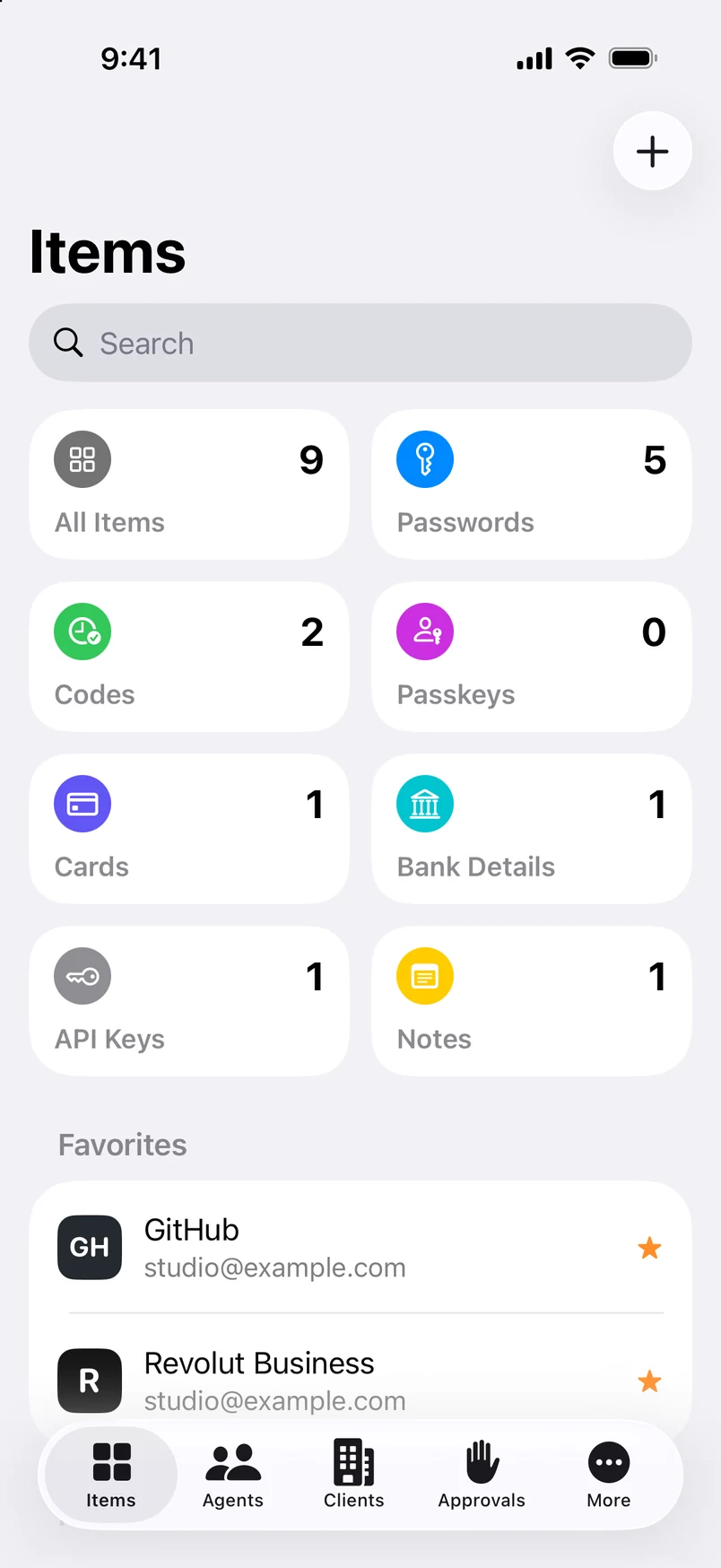
SRG+ Key keeps your logins, two-step codes, cards, bank details and API keys in one vault. Only your master password and a Secret Key made on your device can open it, and Face ID or Touch ID opens it in a moment.
Beta. Needs macOS 26, iOS 26 or iPadOS 26. Not yet in the App Store.
What is SRG+ Key?
SRG+ Key is the password manager of the SRG+ family, for Mac, iPhone and iPad. It keeps everything you sign in with in one vault that is encrypted on your device, so only you can open it.
- Status
- Beta on TestFlight
- Apps
- Mac, iPhone, iPad
- Encryption
- AES-256-GCM, on your device
- Price
- Not announced yet
Everything you sign in with.
In one vault.
-
Passwords
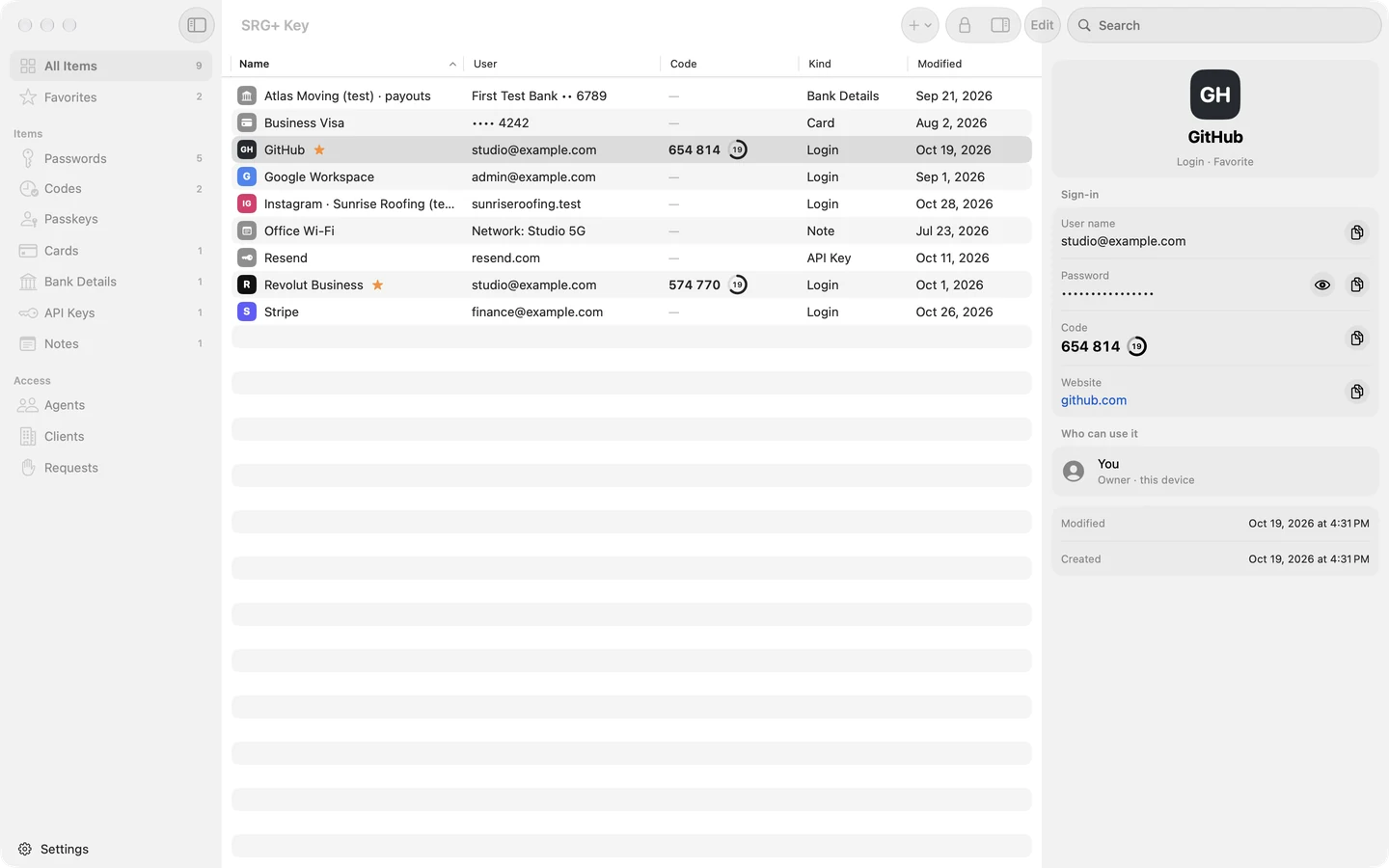
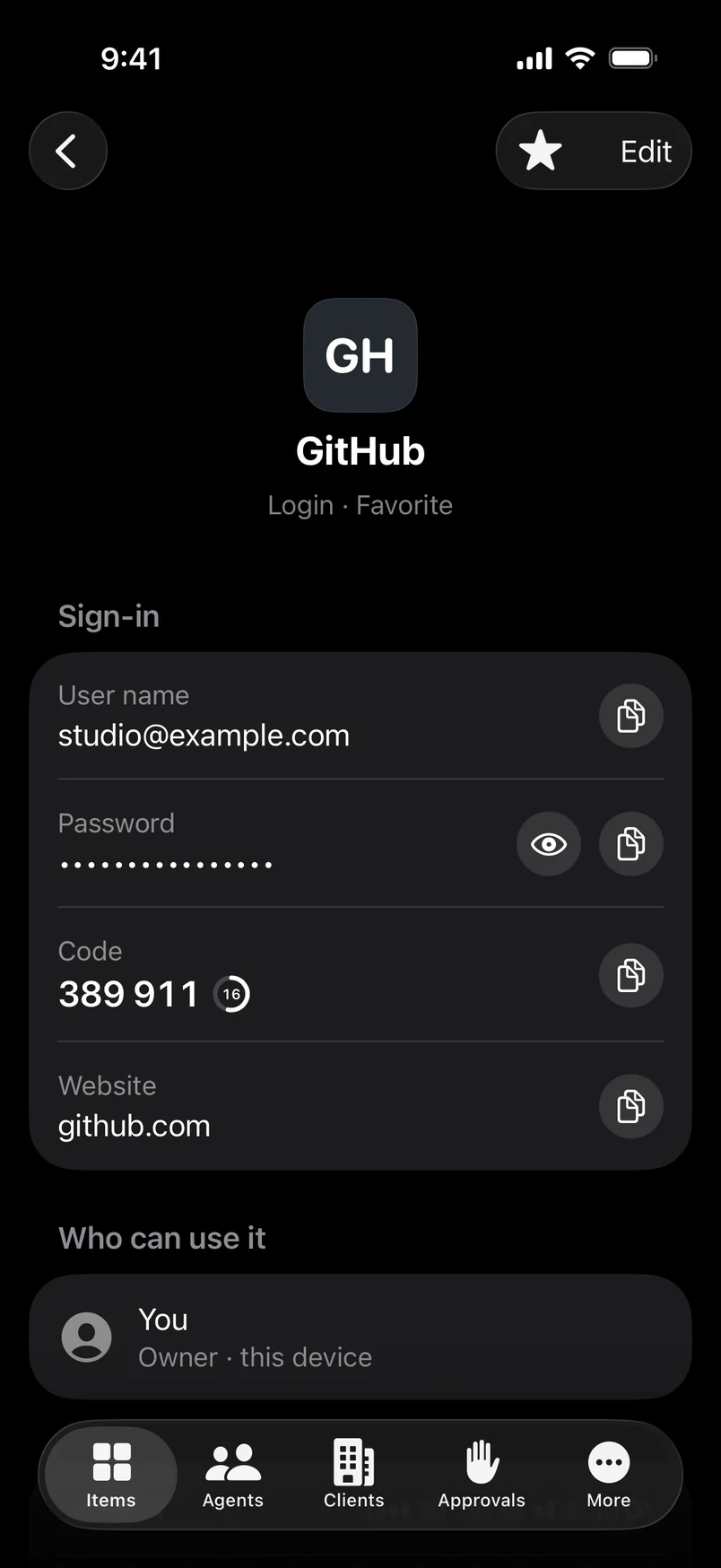
Logins with the user name, the password and the website. Make a strong password in one tap and copy it when you need it.
-
Two-step codes
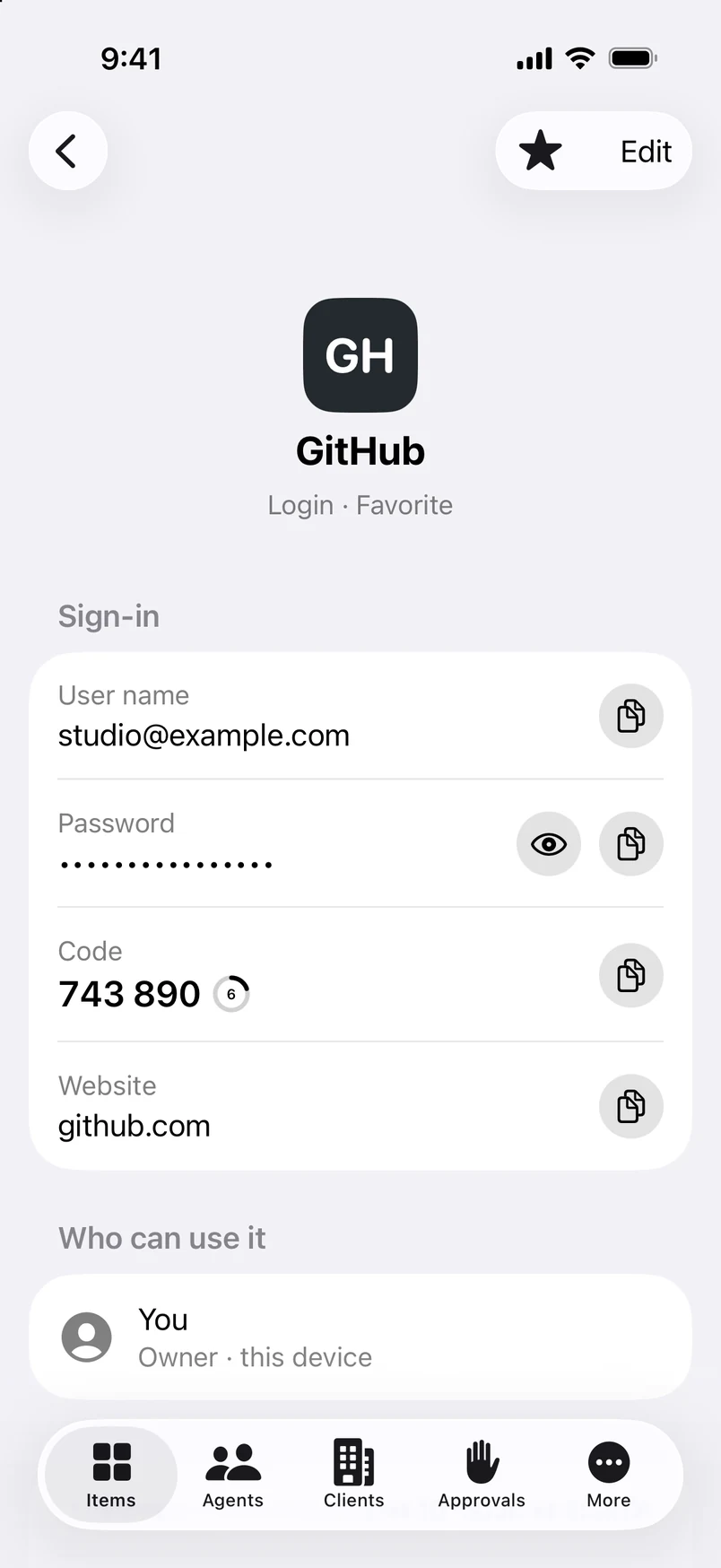
Add a site’s QR code once. The six-digit code is then always ready, with the seconds it has left.
-
Cards
Card numbers, expiry dates and security codes, ready when you pay online.
-
Bank details
Account and routing numbers you send to clients and vendors, kept out of your notes and your email.
-
API keys
The keys and tokens of the services you build on, with a generator for new random keys.
-
Notes
Anything else that should stay private: recovery codes, Wi-Fi passwords, license keys.
Two secrets.
Only you hold both.
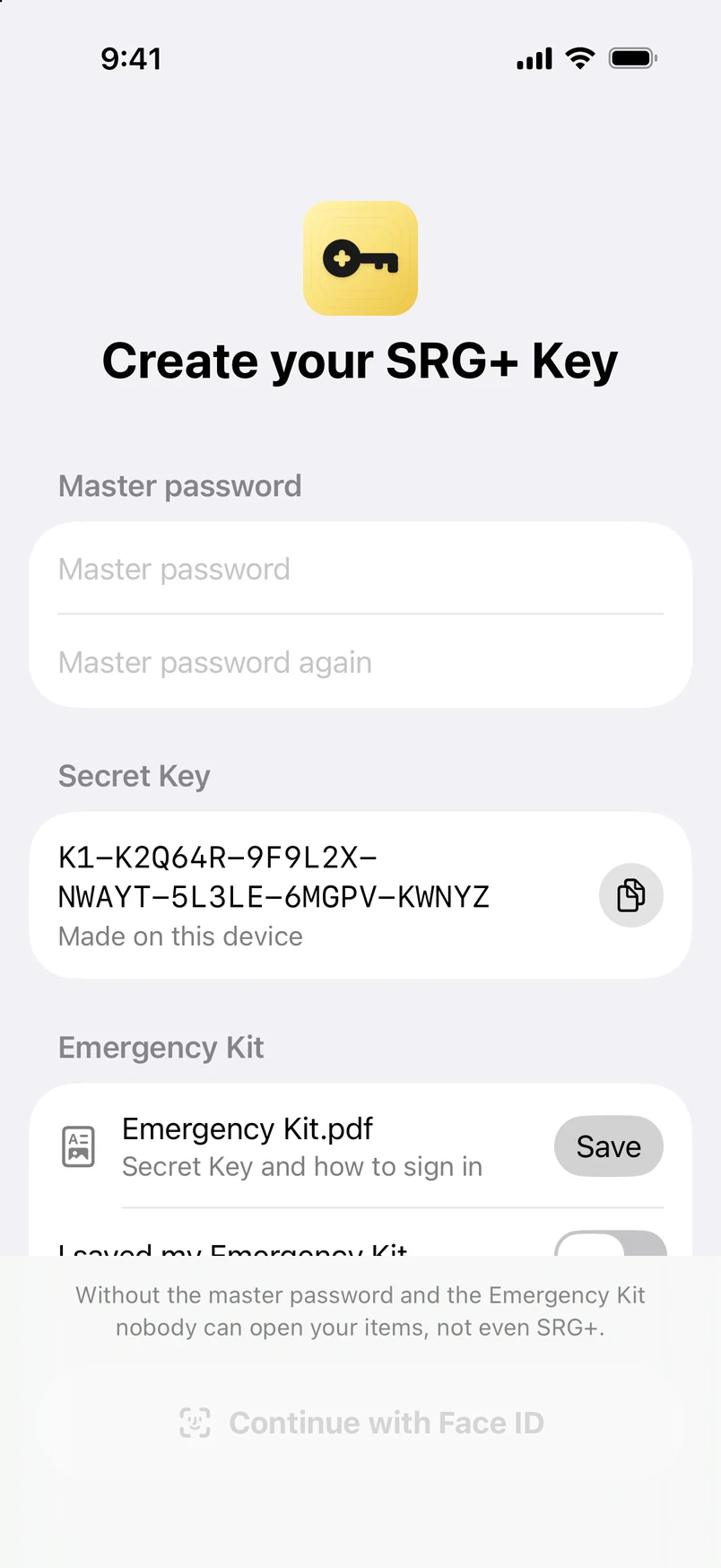
Your vault is encrypted on your device with AES-256-GCM, using Apple CryptoKit. To open it you need your master password, which you remember, and your Secret Key, which SRG+ Key makes on your device the first time.
Master password
You remember it
Secret Key
K1-7QX4MR-H2TKAD-9W…
Made on your device
Your vault
Opens only with both
-
Face ID and Touch ID
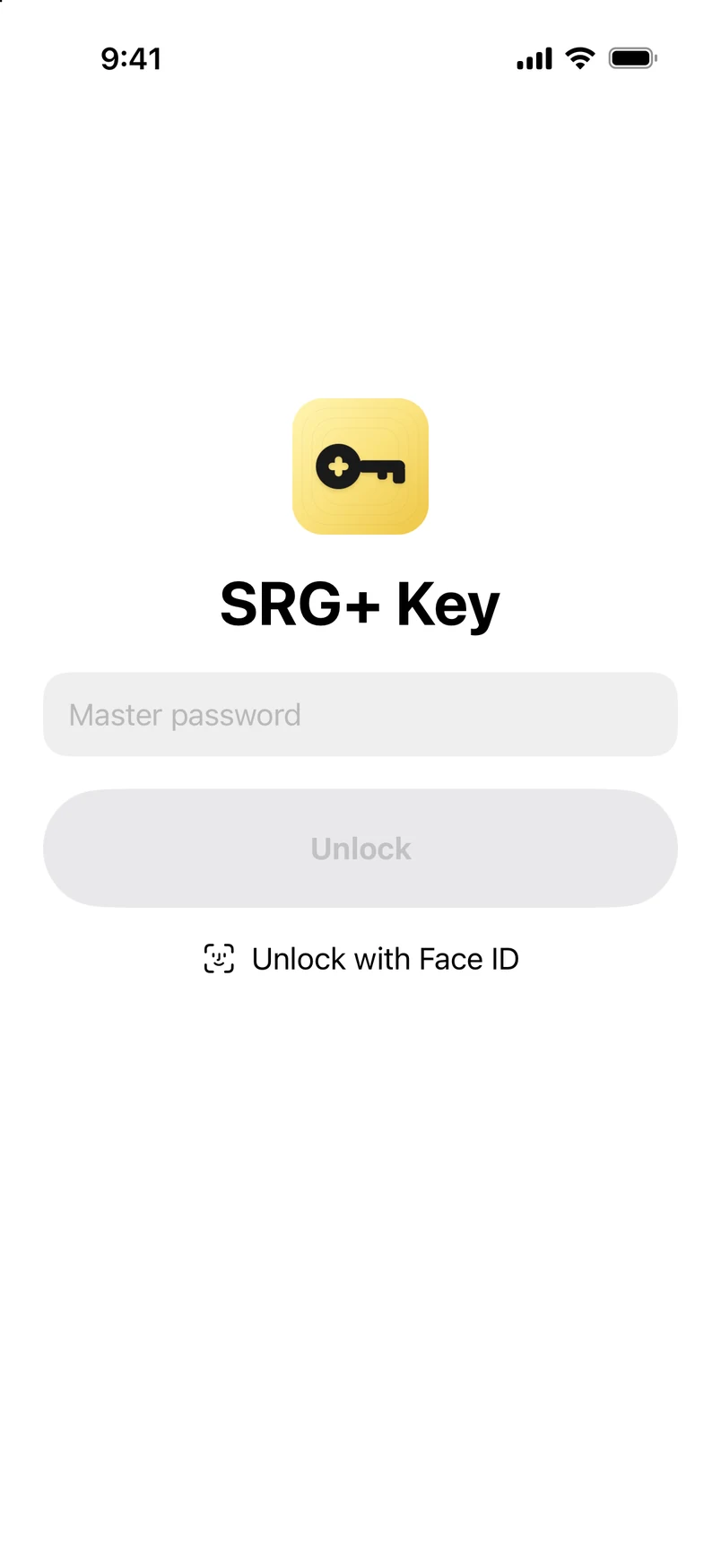
Open the vault with your face or your finger, and lock it again in one click.
-
Emergency Kit
A one-page PDF with your Secret Key and a place to write your master password. Print it and keep it with your important papers.
-
Stays on your device
In this beta nothing is synced or sent to our servers. Your items stay on the device where you saved them.
Nobody can recover a forgotten master password or Secret Key, not even SRG+. That is what keeps everyone else out, so save your Emergency Kit when you create your vault.
Two-step codes,
straight from the QR.
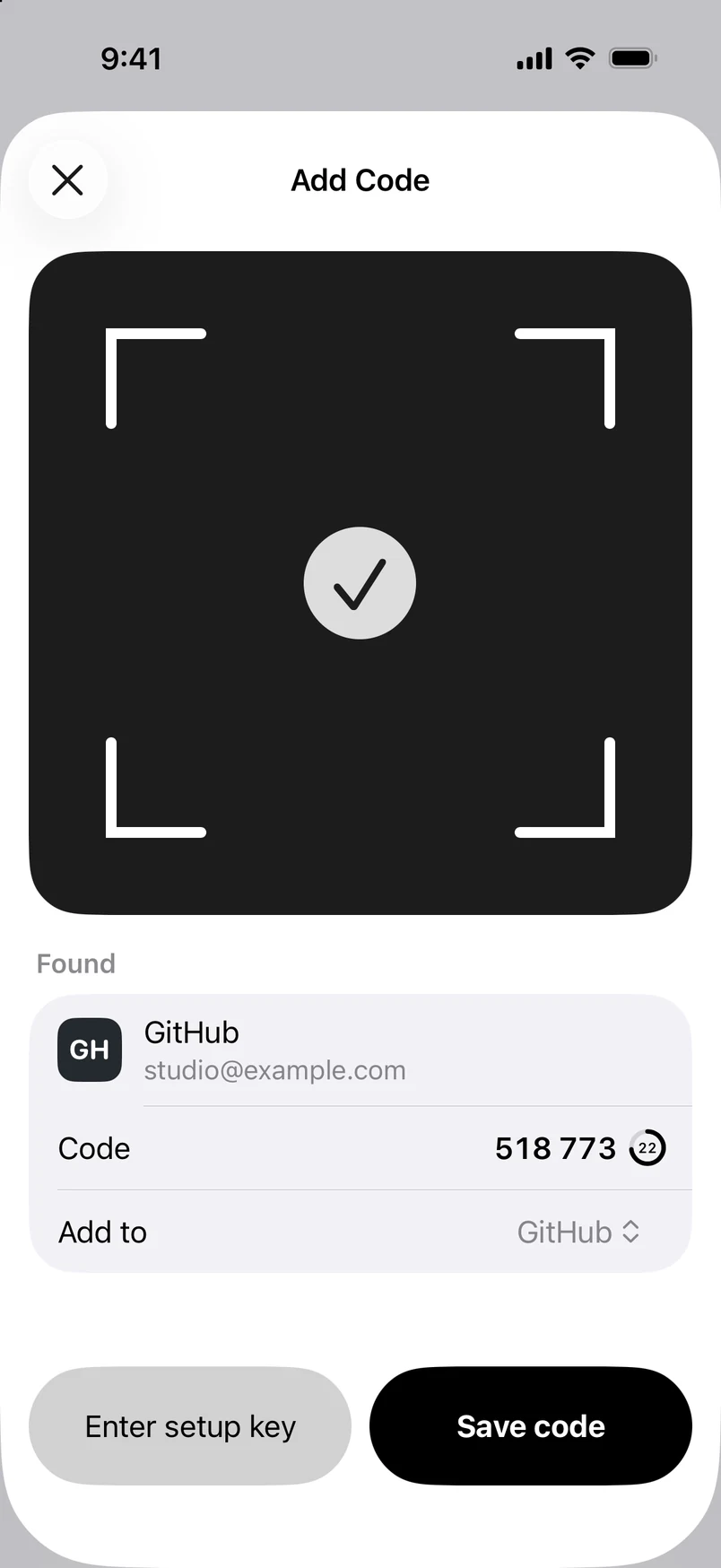
When a site turns on two-step sign-in, point your iPhone at its QR code, choose a picture of it, or paste the setup key. SRG+ Key saves the code with the login and shows the six digits with the seconds left.
- Scan a QR code
- Paste a setup key
- Copy in one tap
- Password generator
Set up in a minute.
Open it with a look.
Choose a master password, and SRG+ Key makes your Secret Key on the device. Save your Emergency Kit, and you are in. Then Face ID or Touch ID opens the vault, it locks itself when you are away, and your items never show in the app switcher.
- Master password
- Secret Key
- Emergency Kit
- Face ID and Touch ID
One app for iPhone,
iPad and Mac.
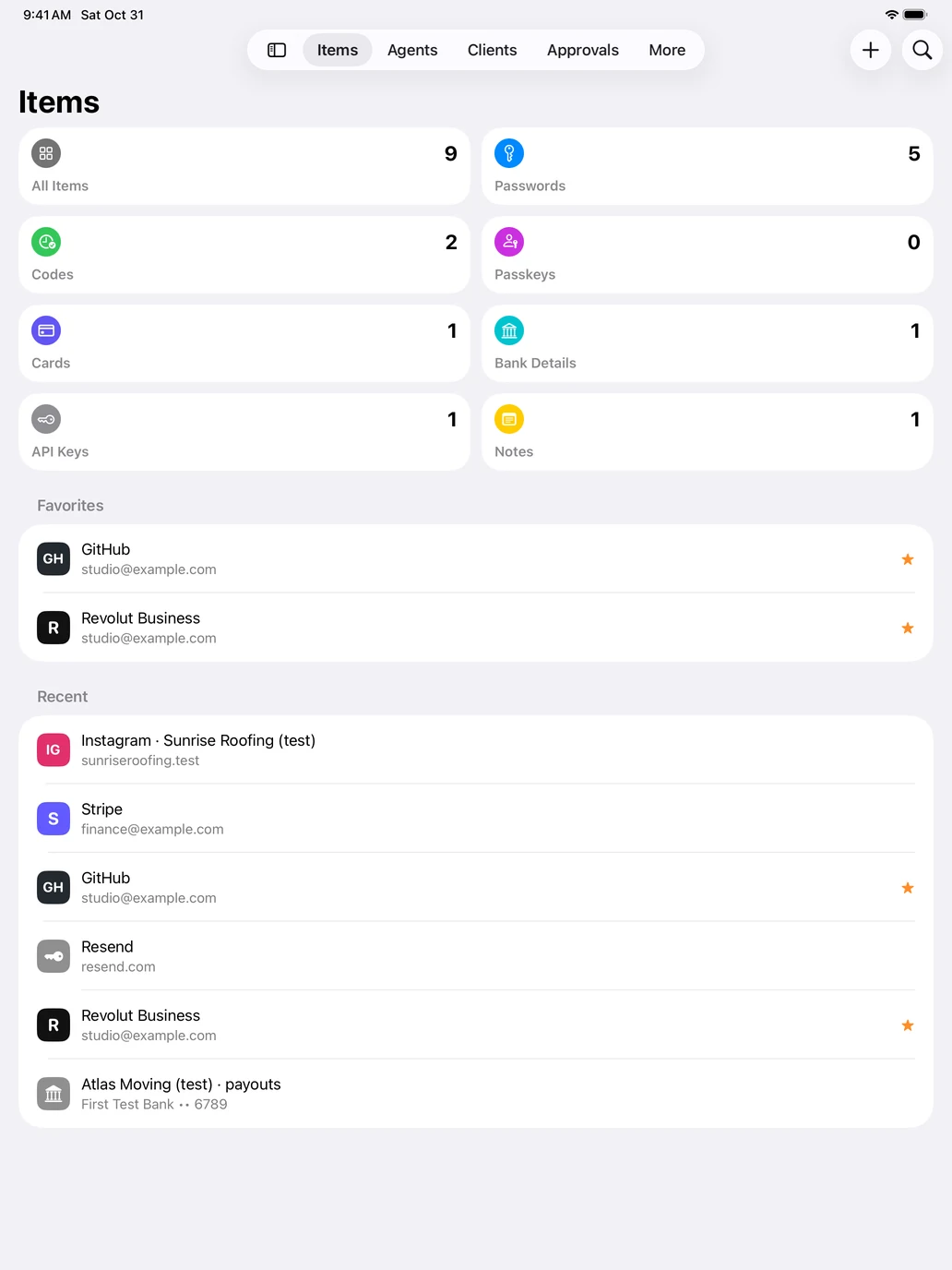
A sidebar, a list and an inspector on the Mac, tabs on the iPhone and iPad, in light or dark as your device is set. For now each device keeps its own vault: sync between your devices is coming.
What comes next.
SRG+ Key grows in steps, so what works today keeps working. These are being built now.
-
In a later build
Sign in with SRG+
One SRG+ account for Key and the rest of the family. It is built and comes to the beta in a later build.
-
Coming
Sync between your devices
Your vault on your iPhone, iPad and Mac, encrypted on each device before it leaves it.
-
Coming
Keys for your AI agents
Through SRG+ Connect, an agent signs in or calls a service with a key it never sees. You approve the risky ones, and every use is logged.
-
Coming
AutoFill and passkeys
Passwords, passkeys and codes filled in Safari and in apps, an extension for Chrome, and import from other password managers.
A beta, so keep a copy.
SRG+ Key is new and still in testing. Keep a copy of your important passwords in another place for now, and save your Emergency Kit when you create your vault.
Questions
What is SRG+ Key?
SRG+ Key is the SRG+ password manager for Mac, iPhone and iPad. It keeps your logins, two-step codes, cards, bank details, API keys and notes in one vault that is encrypted on your device and opens only with your master password and your Secret Key.
Is SRG+ Key available now?
Yes, as a beta on TestFlight for iPhone and iPad, and the Mac download comes soon. It needs iOS 26 or iPadOS 26, and macOS 26 on the Mac. It is not yet in the App Store, and the price is not announced.
How is my vault protected?
Your items are encrypted on your device with AES-256-GCM, using Apple CryptoKit. The key that opens them comes from two secrets: your master password, stretched with PBKDF2, and a Secret Key made on your device and kept in its Keychain. So a copy of the vault file alone cannot be guessed open.
What if I forget my master password?
Nobody can recover it, not even SRG+. When you create your vault, SRG+ Key gives you an Emergency Kit: a one-page PDF with your Secret Key and a place to write your master password. Print it and keep it somewhere safe.
Does SRG+ Key sync between my devices?
Not yet. In this beta each device keeps its own vault, and nothing is sent to our servers. Sync is coming, with your items encrypted on each device before they leave it.
Can I import from another password manager?
Not yet. Import from other password managers, AutoFill in Safari and in apps, passkeys and a Chrome extension are coming.
Can my AI agents use SRG+ Key?
Not yet. Through SRG+ Connect, an agent will sign in or call a service with a key it never sees, with your approval for the risky ones and a log of every use.
Do I need an SRG+ account?
Not in this beta. SRG+ Key works on its own with your master password. Sign in with SRG+ is built and comes in a later build.
How much does SRG+ Key cost?
The price is not announced yet. SRG+ Key is in beta, and plans will be published on srgplus.app/pricing when it is released.
Get SRG+ Key.
Beta for iPhone and iPad now, and the Mac download comes soon. Install TestFlight from the App Store, then open the link.