Case Study
How We Cut Our Software Bill From $1,460 to About $100 a Month

Serge Creator
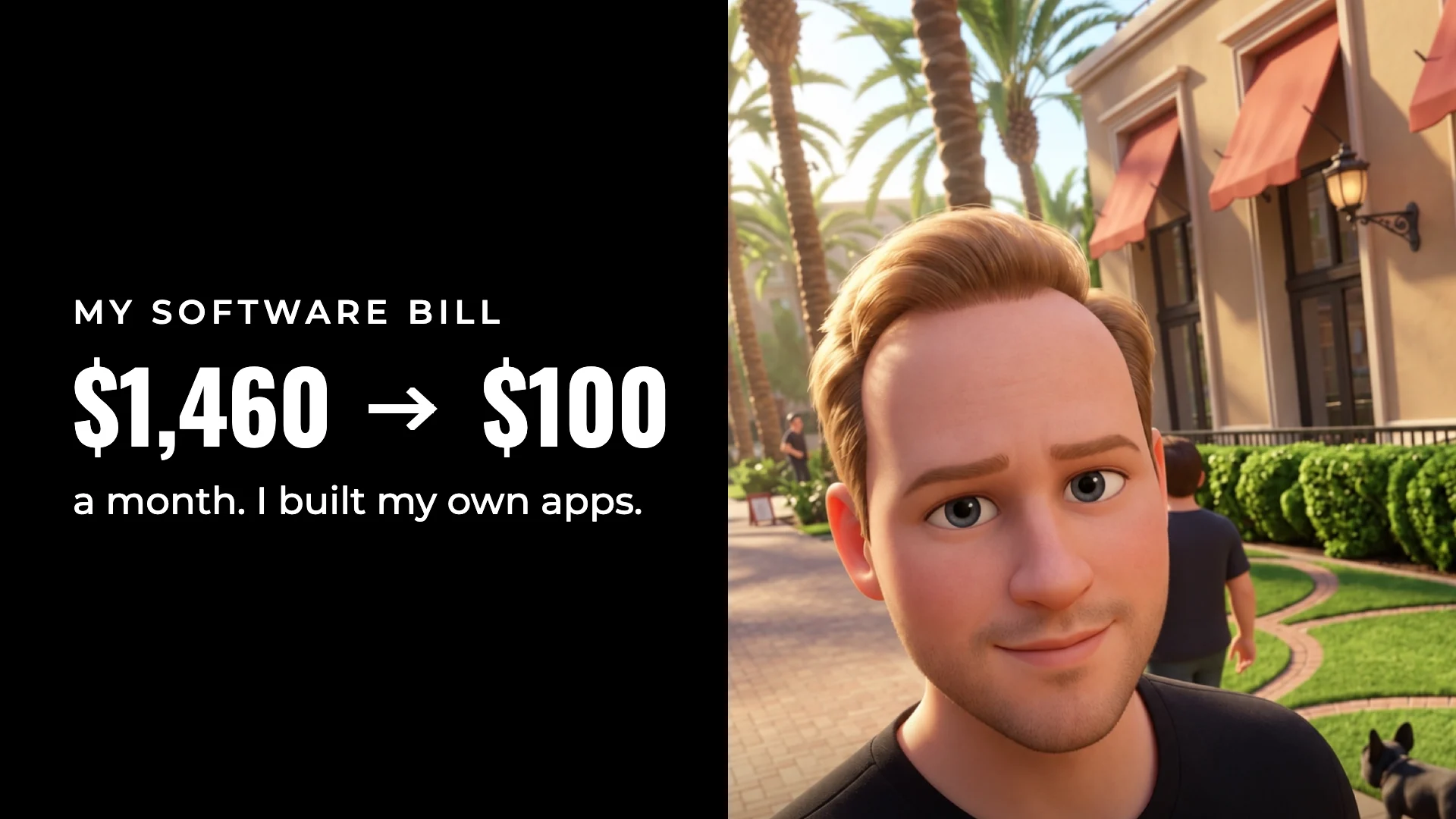
TL;DR: Key Results
$1,460 a month in software subscriptions canceled
About $100 a month now runs the whole studio: about $16,300 a year saved
10 apps, one account: SRG+ One, connected to Claude, ChatGPT and any agent platform
A small team now delivers what used to take 30 people
The Challenge: A Tool for Every Job
Serge Creator Studios is a creative studio. We edit videos, shoot and edit photos, design graphics and build brands for our clients. Like most small businesses, we ran on subscriptions that piled up one at a time.
Meetings in Zoom. Chat in Slack. Tasks in Jira. Time tracking in Hubstaff. Clients in GoHighLevel. Books in QuickBooks. Zapier holding it all together. When I added it up, the bill was about $1,460 a month.
The money was only half of it. Every tool had its own login and its own copy of our data. Most of them were built before AI agents existed, so getting Claude or ChatGPT to work across them was a fight: export here, paste there, check it by hand.
What We Canceled
| What we paid for | Per month | What we use now |
|---|---|---|
| Zoom, Slack, Jira, Hubstaff | $527 | SRG+ Chat and Meet, SRG+ Teams |
| GoHighLevel | $297 | SRG+ CRM |
| Framer | $100 | SRG+ Sites |
| Zapier | $100 | SRG+ Connect |
| Hootsuite / Sprout Social | $99 | SRG+ Schedule |
| Higgsfield | $99 | SRG+ Create |
| QuickBooks | $90 | SRG+ Finance |
| Photoshop and Premiere | $59 | SRG+ Create |
| Jotform | $39 | SRG+ Forms |
| PandaDoc / DocuSign | $30 | SRG+ Docs |
| 1Password | $20 | SRG+ Key |
| Total | $1,460 | About $100 |
Grouped by job, the bill looked like this:
Team tools, $527: Zoom, Slack, Jira and Hubstaff
Sales and clients, $366: GoHighLevel, Jotform and PandaDoc / DocuSign
Marketing and content, $357: Framer, Hootsuite / Sprout Social, Higgsfield, Photoshop and Premiere
Money and operations, $210: QuickBooks, Zapier and 1Password
$1,460 a month is $17,520 a year. At about $100 a month the studio now pays about $1,200 a year, so about $16,300 a year stays with us.
The Solution: One Platform, Built for Agents
Instead of adding one more integration, we built our own: SRG+ One, ten apps on one account. Teams for projects, CRM for clients and deals, Docs for contracts and signatures, Forms, Finance, Create for AI pictures and clips, Sites for our websites, Schedule for social posts, Key for passwords, and Connect to bring all of it to our AI.
We tested it on our own studio first. One SRG+ account signs the whole team in, and the agents work in the same apps the people do.
Connect is the part that changed how we work. Claude, ChatGPT or our own agents get into CRM, Docs, Create and the rest, with only the tools we allow for each agent. They show every step they take and ask before the steps that matter, like sending an email or paying a bill.
App by App: What Replaced What
Here is each job, the tool we paid for, and the SRG+ app that does it now. The screenshots come from each app's page and show an example studio with sample data.


Zoom, Slack, Jira and Hubstaff → SRG+ Chat, Meet and Teams
SRG+ Chat gives every team, client and project its own group, with voice messages everyone can also read and a call from any chat. SRG+ Meet makes a link for one call, for a few days or for good, and guests wait until you let them in. Our AI agents sit in the same chats and do the work there.
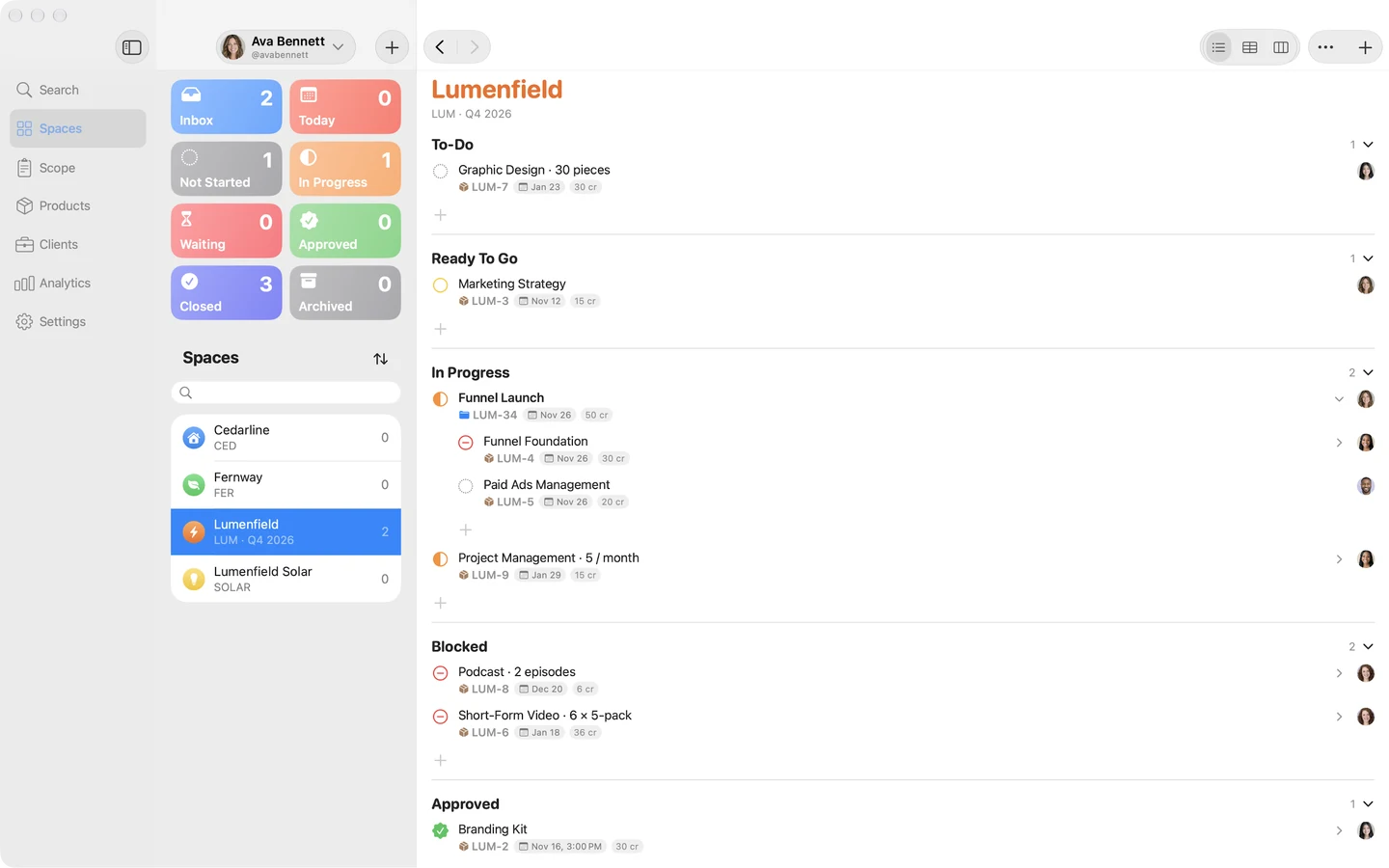
Projects moved to SRG+ Teams: a space for each brand, scopes with sprints and credits, and every final product split into sub-tasks that people and AI agents take. Work moves through eight statuses, the same in every space.

GoHighLevel → SRG+ CRM
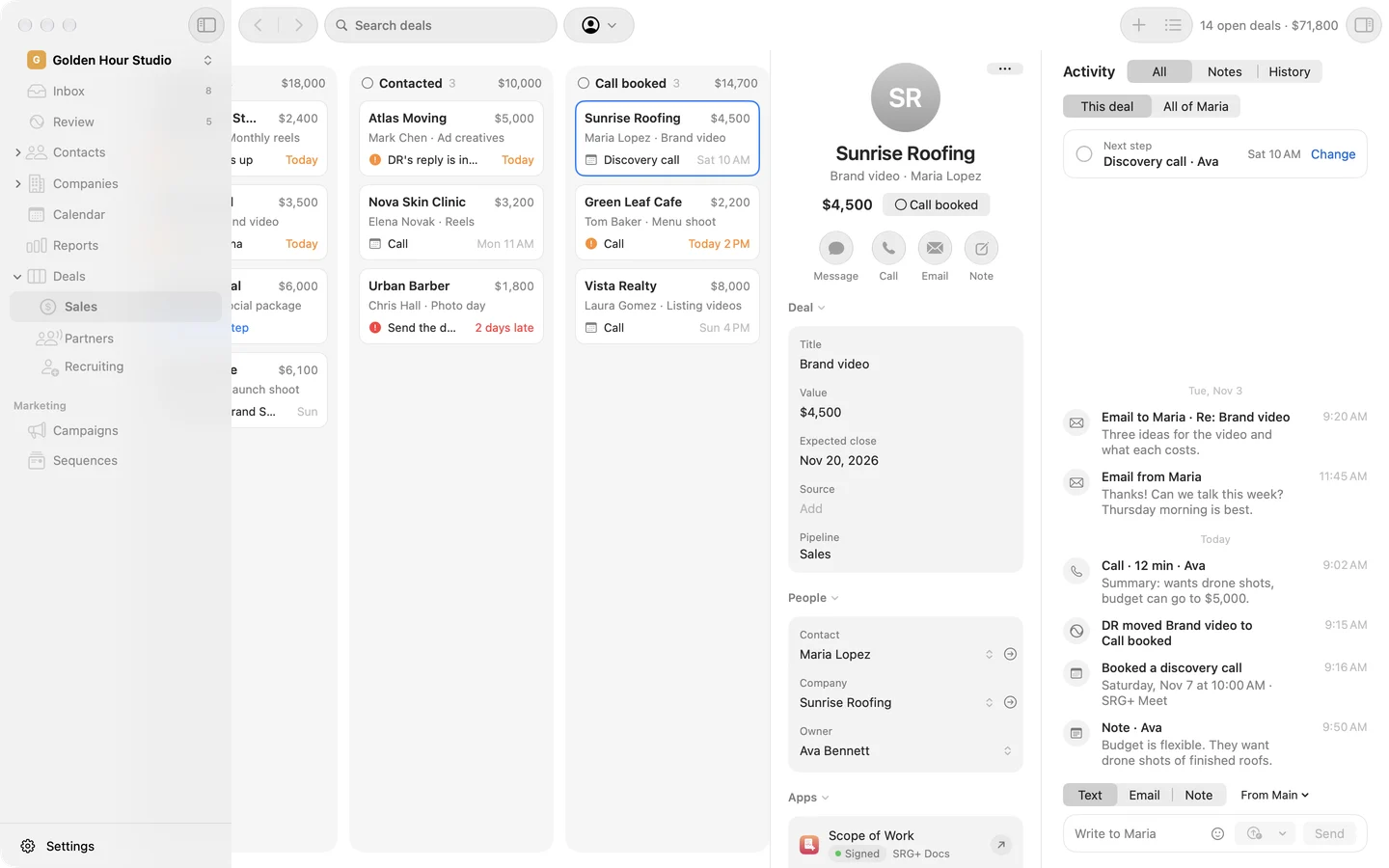
SRG+ CRM keeps contacts, companies and deals in one place, with every email, text and Instagram message in each person's story. It runs booking pages, forms and email campaigns. Our AI agent writes the replies and the campaigns, and a person sends them.
Moving off GoHighLevel too? Here is how to switch.

Framer → SRG+ Sites
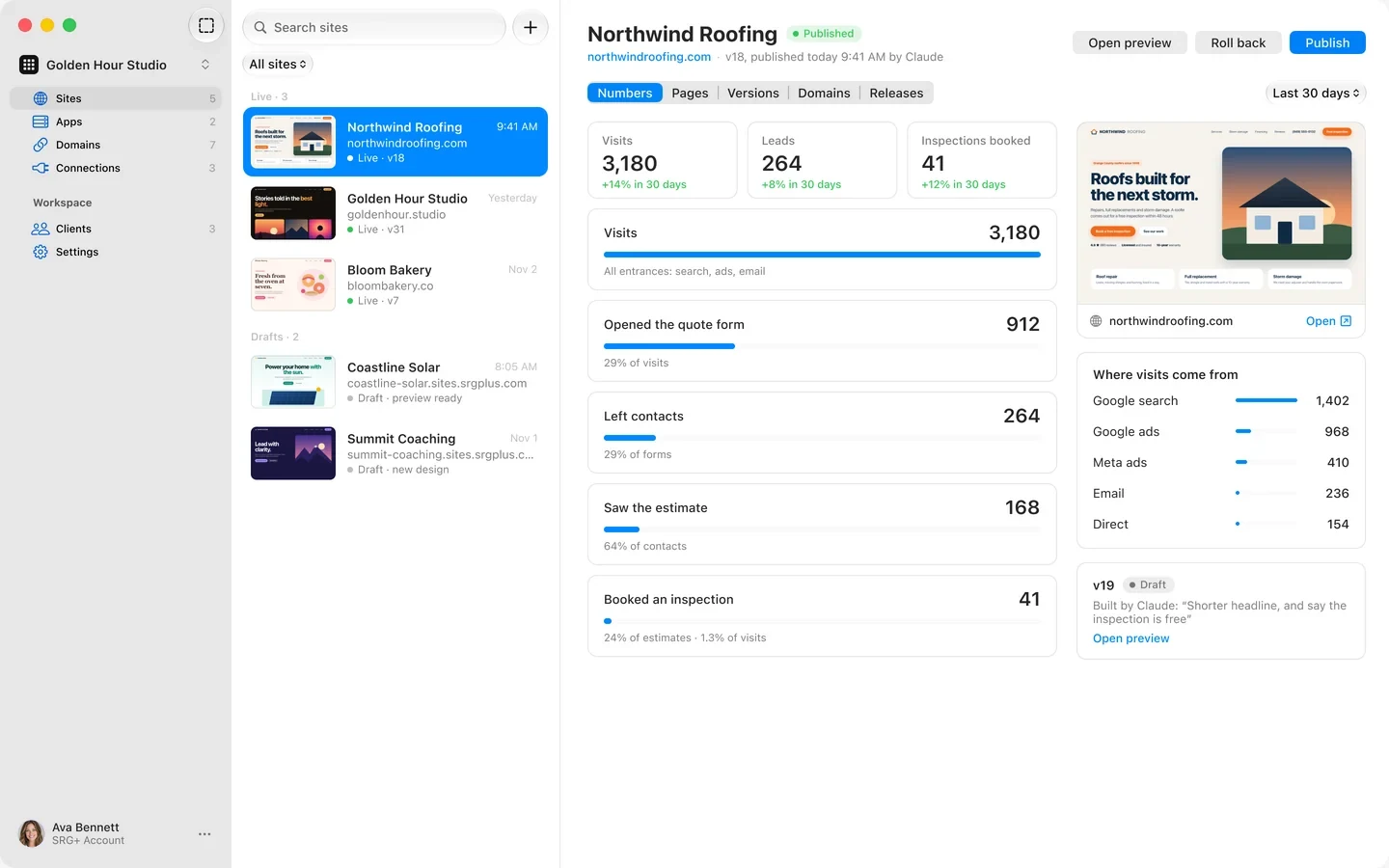
SRG+ Sites hosts our websites on our own domains. A new version goes live in a moment, rolls back in one step, and can go out as a private preview first. Visits and leads are counted on the server.
Claude or ChatGPT can change words on a page, send us a preview and publish it, the same as we do in the app.

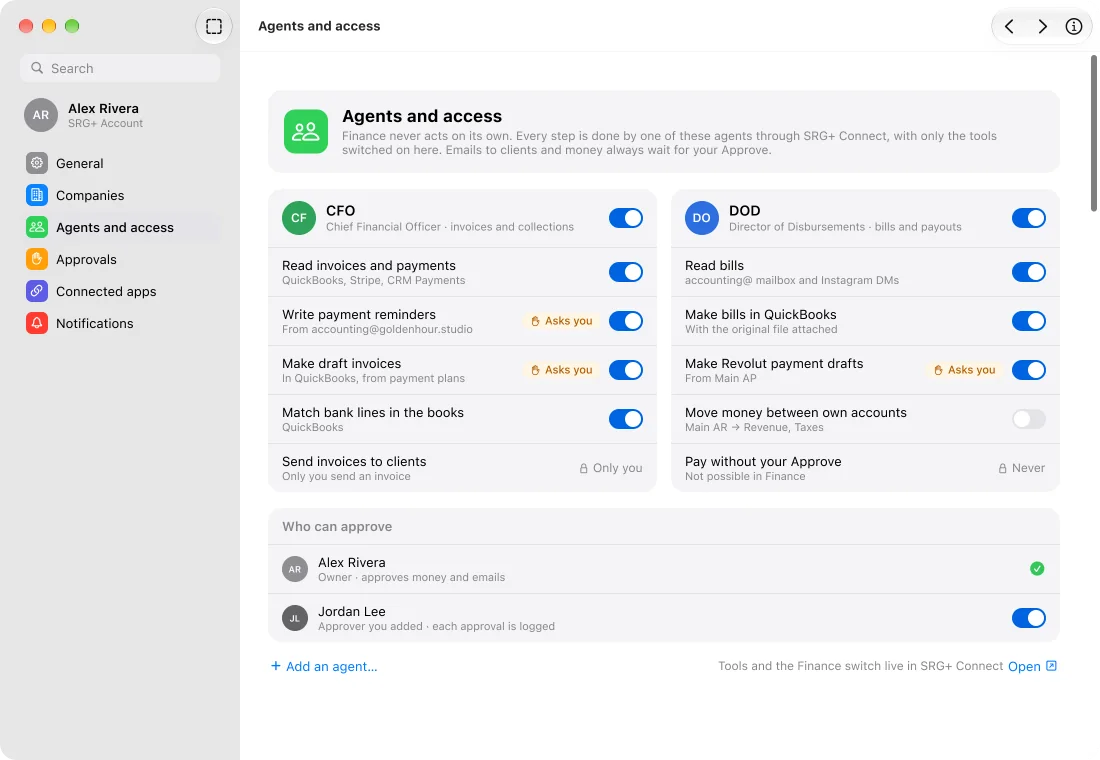
Zapier → SRG+ Connect
SRG+ Connect is one door for Claude, ChatGPT and other AI tools into CRM, Docs, Create and the rest. Each agent gets only the tools we allow. Routines wake our agents on a schedule and ask us before the steps that matter.
Instead of building a zap for every job, we ask in plain words, and the agent does the job across the apps.
Hootsuite / Sprout Social → SRG+ Schedule
SRG+ Schedule plans posts on a calendar, publishes them to Instagram, YouTube, LinkedIn, X, Facebook and Threads from one place, and shows how every post did, right next to it.

Higgsfield, Photoshop and Premiere → SRG+ Create
SRG+ Create puts top image and video AI models in one app. Describe what you want, pick a model and watch it appear, with the price in credits shown before you press Generate. It makes video with sound, keeps templates and characters, and adds a signed AI label.
It edits too: ask Claude to restyle a clip, or to add captions to a project and export it, and the result lands in our Create library.




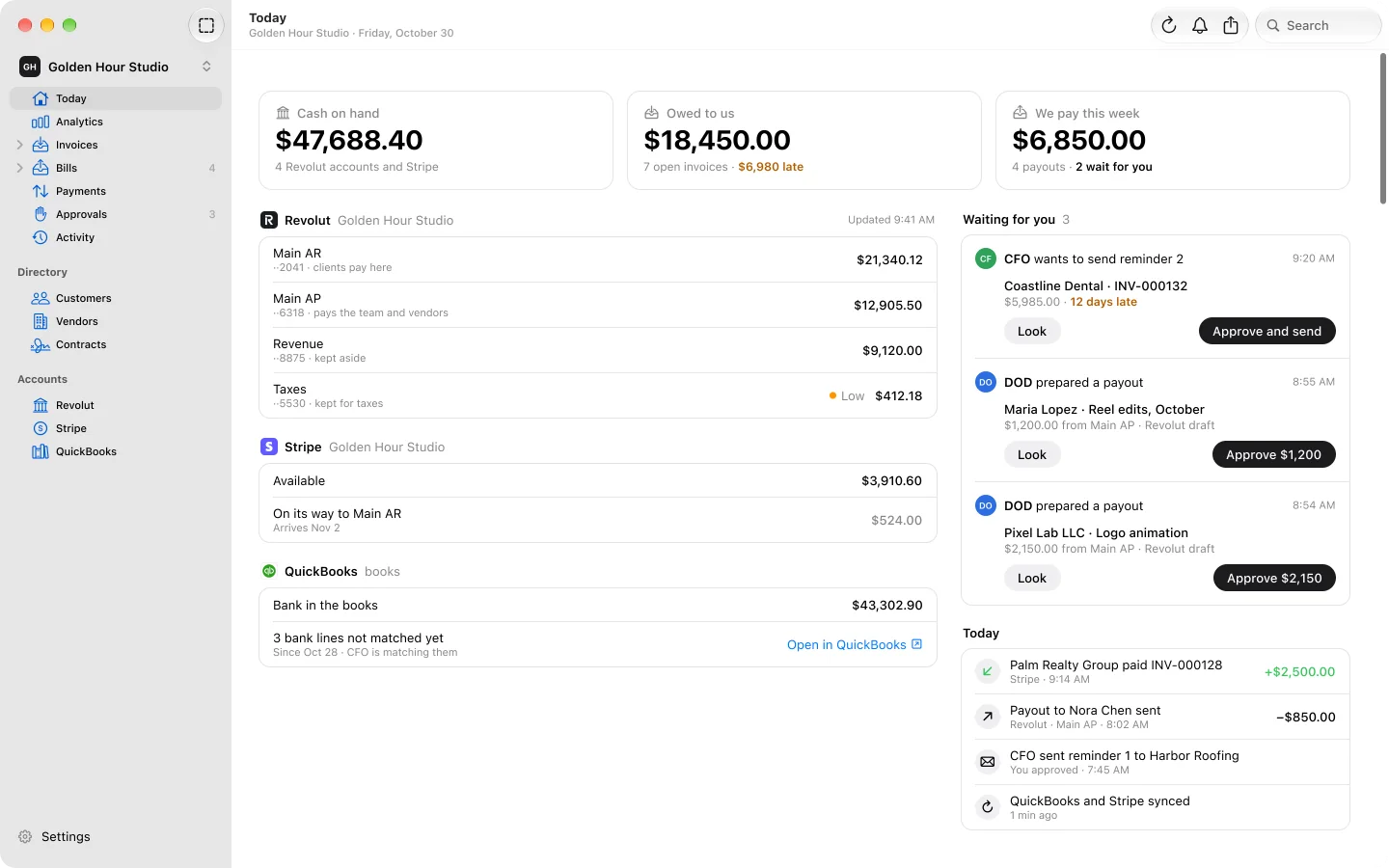
QuickBooks → SRG+ Finance
SRG+ Finance shows the cash on every account, what clients owe and what we pay this week, on one screen. AI agents chase late invoices and read our bills, and nothing goes out until a person taps Approve.

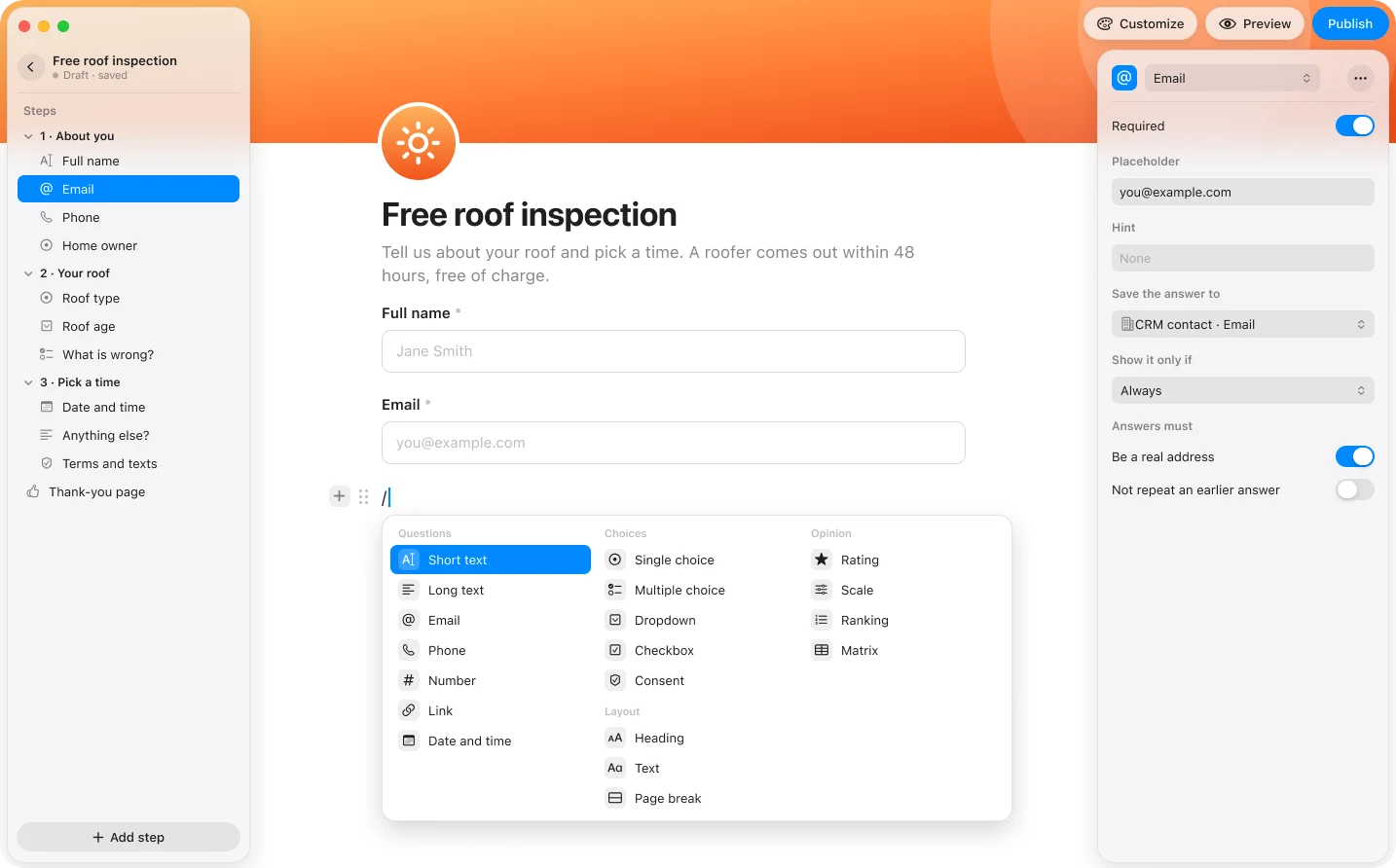
Jotform → SRG+ Forms
SRG+ Forms makes forms, surveys and quizzes: a lead form for a website, a feedback survey for customers, a quiz for a crew. A long form splits into steps, and a question shows only when an earlier answer matches. People answer on a web page with no account, and the answers land in our SRG+ account.

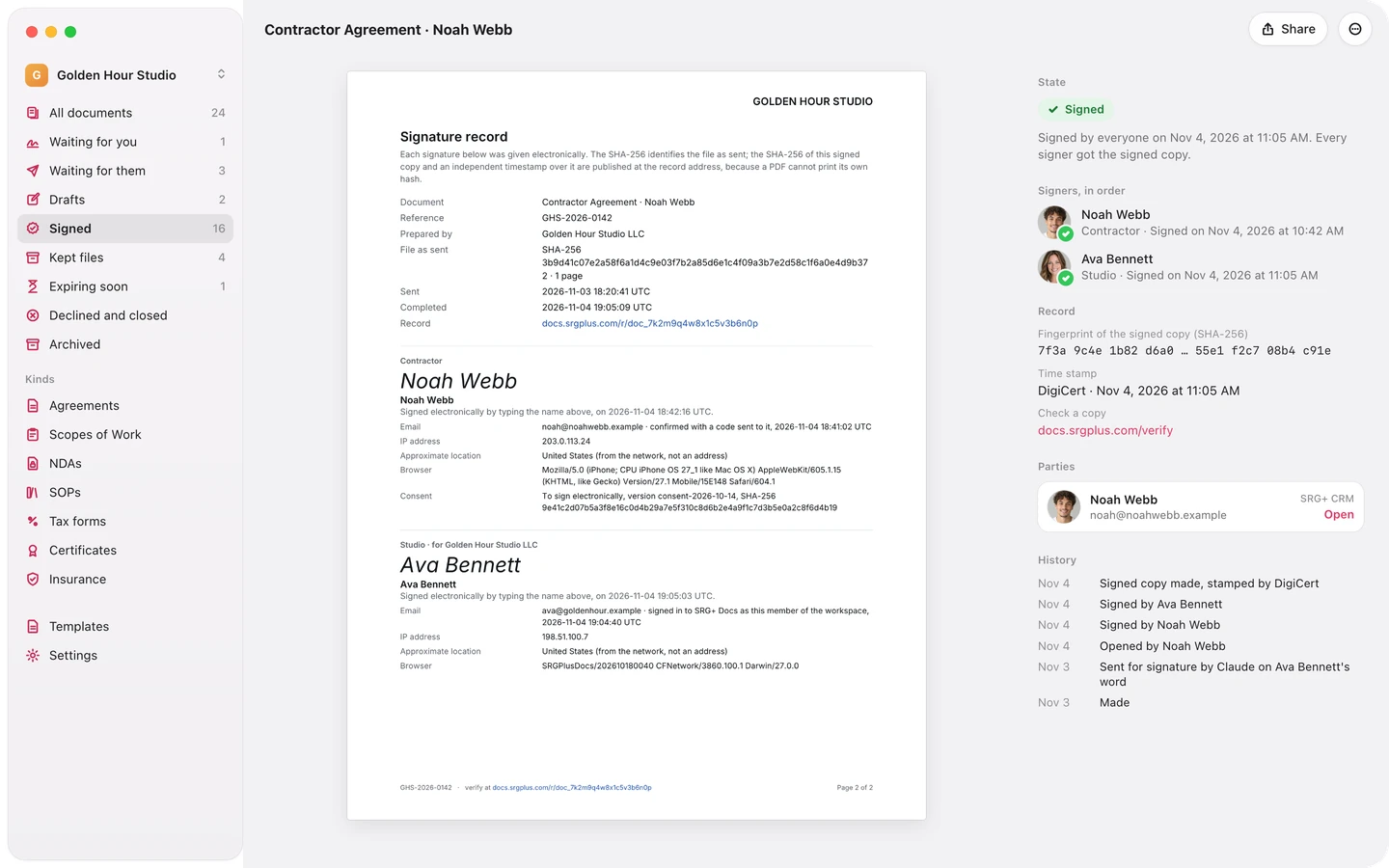
PandaDoc / DocuSign → SRG+ Docs
SRG+ Docs keeps contracts, releases and company papers in one library and gets them signed. Signers open the link in their email and sign with a code, no account needed. Every signed copy carries its SHA-256 fingerprint and an independent timestamp. Our agent prepares the papers, and a person says send.

1Password → SRG+ Key
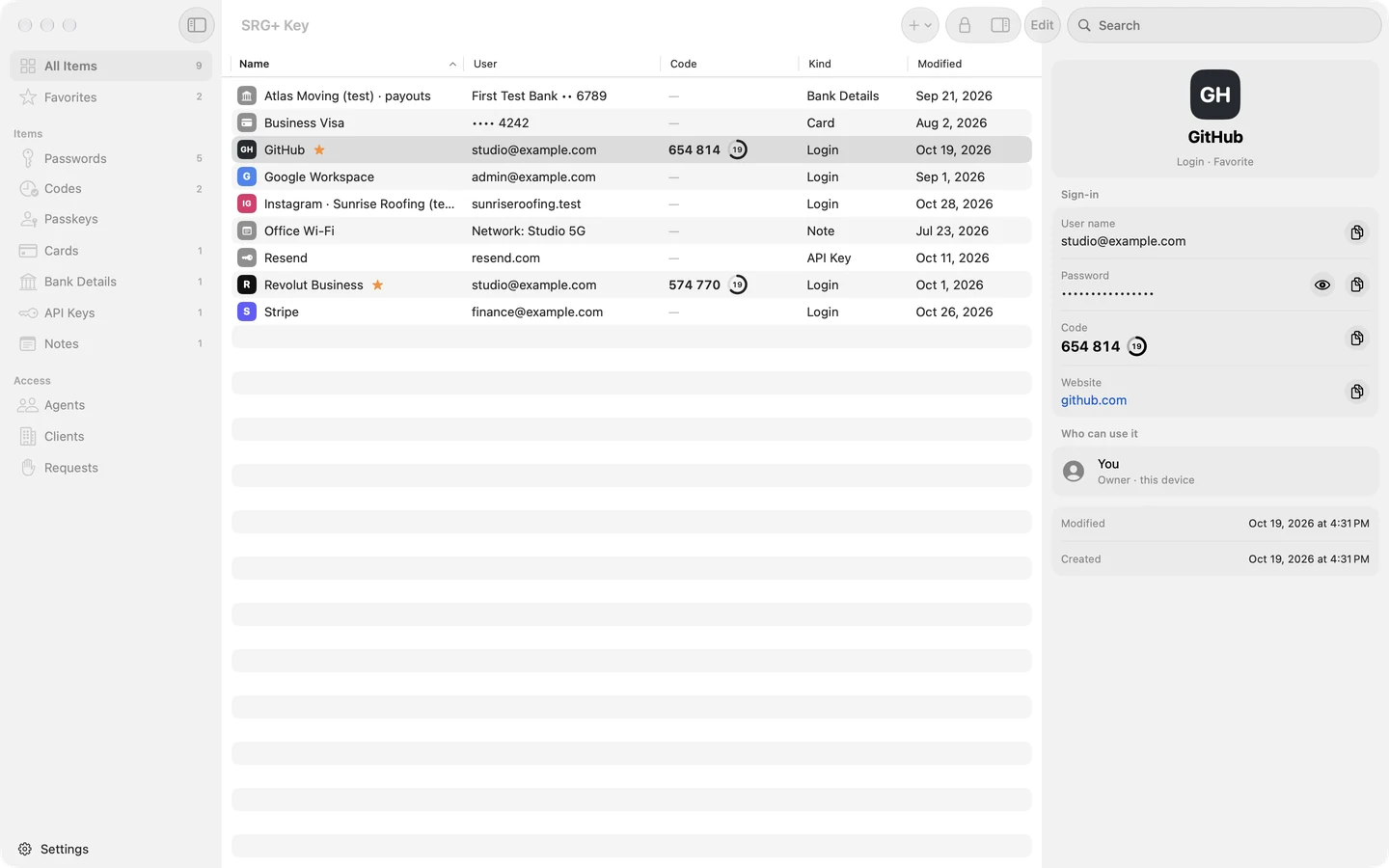
SRG+ Key keeps logins, two-step codes, cards, bank details and API keys in one vault, encrypted on the device with AES-256-GCM. Only the master password and a Secret Key made on the device can open it, and Face ID or Touch ID opens it in a moment.
The Results
Software bill: from $1,460 to about $100 a month, about $16,300 saved a year
One account: one sign-in for the team and its agents
Output: a small team delivers what used to take 30 people
The savings are nice. The bigger change is that our agents now work inside the tools we use, not next to them.
How to Check Your Own Software Bill
You can run the same check on your own stack:
List every subscription with its monthly price. Card and bank statements show the ones nobody remembers.
Group them by job: team, sales and clients, marketing and content, money and operations.
Mark the tools your AI needs to reach. If Claude or ChatGPT cannot get into a tool, someone copies data by hand.
Price one platform against the list. The SRG+ pricing page counts users and members for you.
Move one group at a time, so the team learns one new app before the next.
Connect your AI once through SRG+ Connect and give each agent only the tools it needs.
Who This Works For
Small businesses, studios and agencies that pay for a separate tool for every job, and teams that already use Claude or ChatGPT and want their agents working inside their apps, not next to them. If you run a field or sales team, the same account also puts trainings and videos on every rep's phone.
Frequently Asked Questions
What is SRG+ One?
Ten SRG+ apps on one account: SRG+ (stream, drive, chat, meet, record, schedule, agents, analytics and card), Create, Teams, CRM, Docs, Sites, Forms, Finance, Key and Connect.
Which tools did SRG+ replace for Serge Creator Studios?
Zoom, Slack, Jira, Hubstaff, GoHighLevel, Framer, Zapier, Hootsuite / Sprout Social, Higgsfield, QuickBooks, Photoshop, Premiere, Jotform, PandaDoc / DocuSign and 1Password. Together they cost about $1,460 a month.
How much did Serge Creator Studios save?
The subscriptions cost $1,460 a month, or $17,520 a year. The studio now pays about $100 a month, about $1,200 a year, so it keeps about $16,300 a year.
How much does SRG+ One cost?
SRG+ One Pro is $29 per user a month, billed yearly, with 4 members free per user and 7 days free to try. SRG+ One Business is $58 per user a month. Every plan is on the pricing page. Our own bill for running the studio is about $100 a month.
Does SRG+ work with Claude and ChatGPT?
Yes. SRG+ Connect is one door for Claude, ChatGPT and other AI tools into CRM, Docs, Create and the rest, with the tools you allow for each agent. Connect is free for everyone.
Can AI agents replace Zapier?
For us they did. Instead of a zap for every job, Claude or ChatGPT works across CRM, Docs, Create and the rest through SRG+ Connect, with only the tools we allow, and routines run on a schedule.
What did Serge Creator Studios use instead of GoHighLevel?
SRG+ CRM: contacts, companies and deal boards, every email, text and Instagram message in one story, booking pages, forms and email campaigns. Here is how to switch from GoHighLevel.
Do the AI agents act without asking?
No. Agents show every step they take and ask before the steps that matter. In SRG+ Finance, nothing goes out until you tap Approve.
Do I need all ten apps?
No. Each app is also sold on its own, and you can add more any time. When you want them all, SRG+ One costs less.
Can my business switch the same way?
Yes. Book a demo and we will show you in a short call how the apps fit the way you work.

About the author. Serge Creator runs Serge Creator Studios, a creative studio that edits videos, shoots and edits photos, designs graphics and builds brands. SRG+ started as the studio's own tool, built for its own work, and grew into the ten apps of SRG+ One. More at sergecreator.com.
Run Your Business on SRG+ One
If your stack looks like my old list, let's look at it together.
Book a demo or start a free trial.
Powered by SRG+ · Serge Creator Studios · sergecreator.com