 SRG+



Phone
Your business number.
In your CRM.
 Mark ChenAtlas MovingToday 8:05 AMHi! How much for three ad variations?$1,200 for all three, with captions. Want to go over them tomorrow?Yes, 10 AM works!Great, talk at 10. I will send the first draft before the call.From Main · (949) 555-0100Text Mark
Text clients from your business number, from the Inbox or right in the person's story. Replies land in the Inbox with a push on your iPhone, and every text stays in the person's story.
- Your own number
- Texts in the Inbox
- Send Later for texts
- STOP taken care of
Get your own number.
Pick a number by area code and register it for business texting, right in the app. SRG+ CRM walks you through the review step by step, and shows where it stands.
Every text in the story.
Texts sit in the person's story next to their emails, meetings and deals, so anyone on the team picks up where the last one left off. A text your AI agent writes waits for a person's approval.
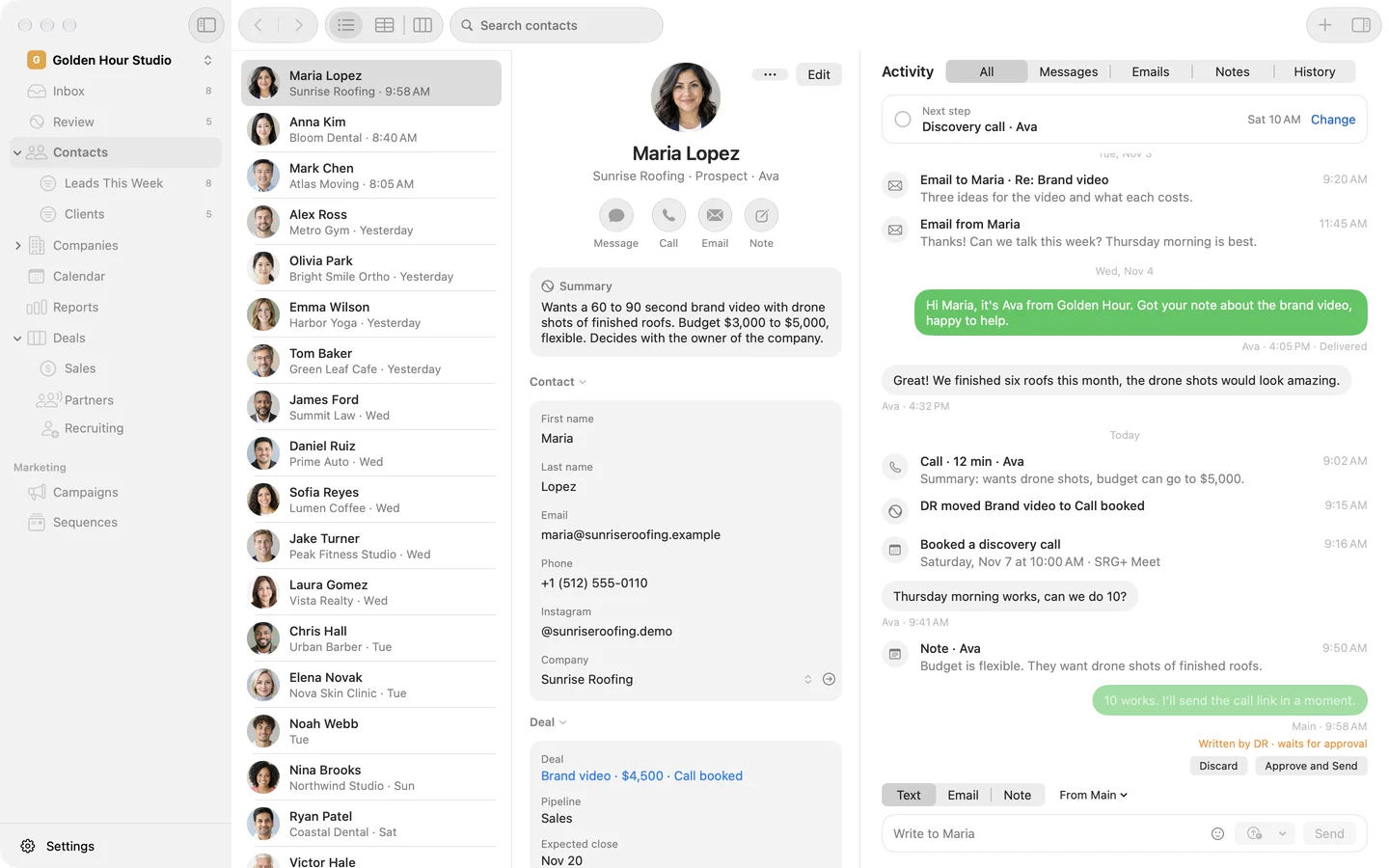
Write it now. Send it at 9.
Send Later works for texts too. Pick tomorrow morning or any time up to a year ahead, and the text goes out from your number.
 Maria LopezSunrise RoofingYesterday 4:05 PMHi Maria, it's Ava from Golden Hour. Got your note about the brand video.Great! We finished six roofs this month.The drone shots are ready. Want to see them on a call?Send Later
Coming soon
Calls, with the recording in the story.
Call clients from the app on your business number, on your Mac or iPhone. Each call can be recorded, and the recording lands in the person's story.
Even better with the rest of SRG+ CRM.


Questions about Phone
Can I keep my current business number?
Talk to us. We can bring your numbers over with you, or you pick a new one in the app.
What happens when someone texts STOP?
SRG+ CRM marks that they do not want texts, and nothing goes to them until they text START.
Can my team share one number?
Yes. A number can be shared by the team or belong to one person, and you pick which number a text goes from.
When can I call from the app?
Soon. Calls are in testing now: you will call from the app on your own number, and each call's recording will land in the person's story.