 SRG+






SRG+ Agents
Meet Your Own AI Agent: It Writes First and Asks Before It Acts

Serge Creator
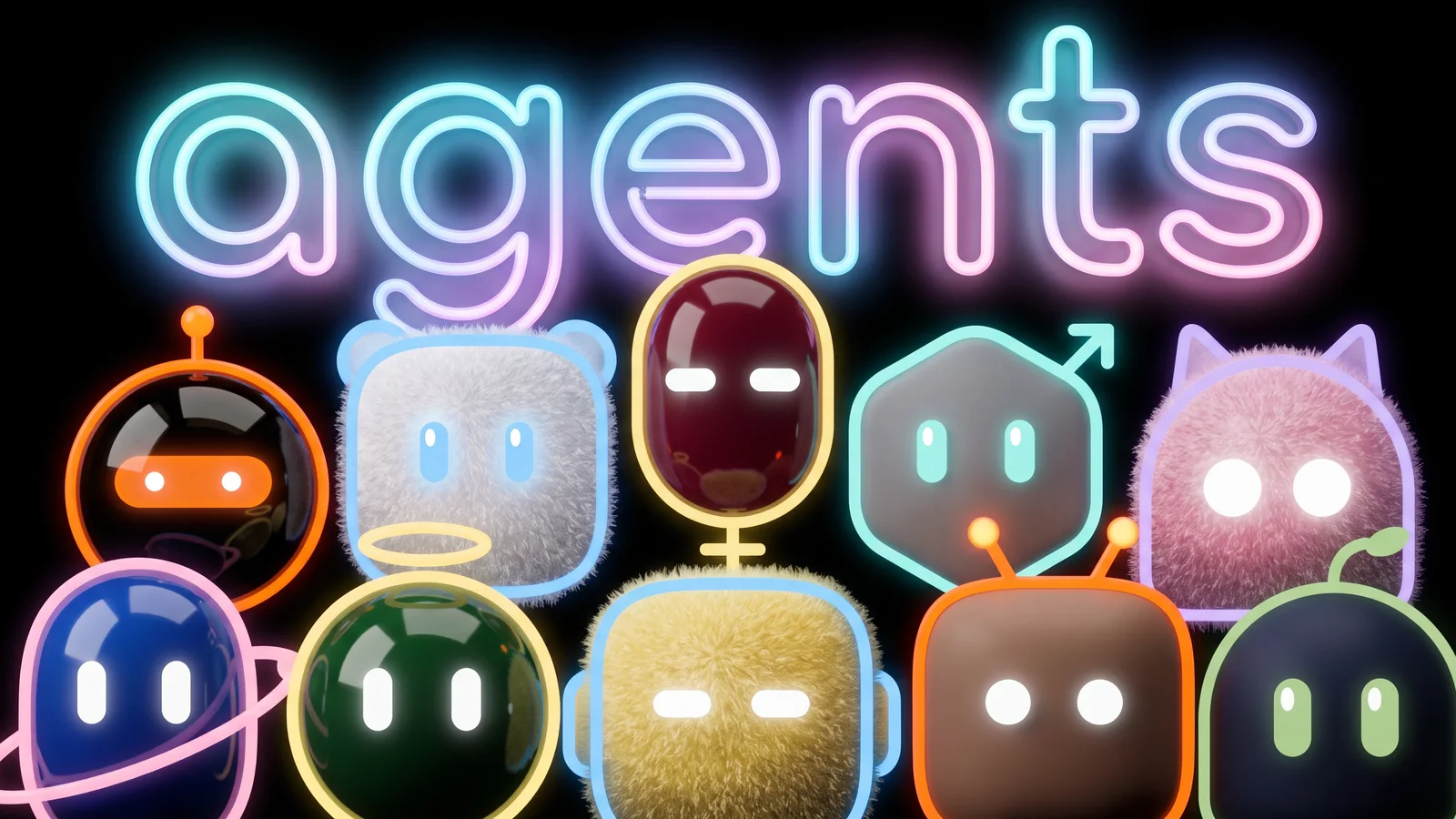
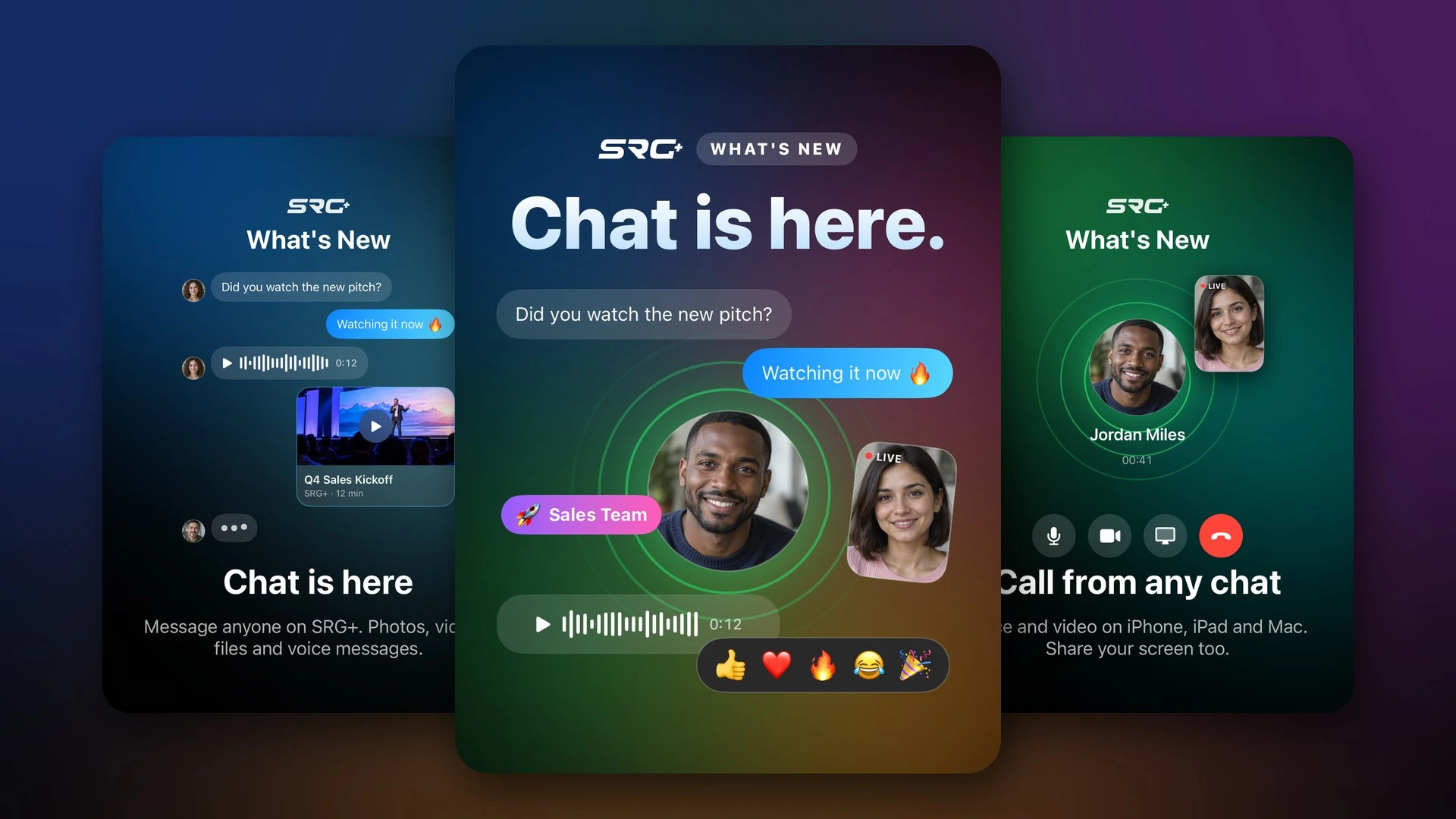
New in SRG+ Chat: an AI helper with a face, a name and a memory of its own. It writes first, and it asks before it acts.
TL;DR: Your Agent in 30 Seconds
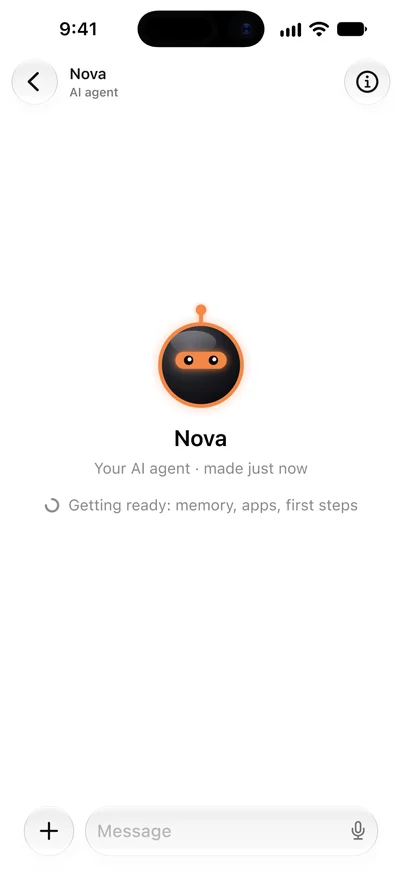
Your own AI agent in SRG+ Chat, with a face and a name you pick, and «AI agent» under its name.
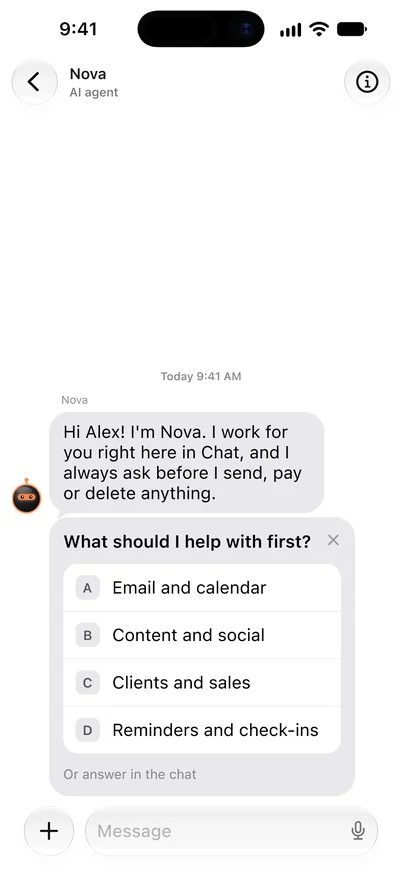
It writes first. It says hello and asks what to help with, so you need no perfect prompt.
Every morning it reads your mail and calendar and writes only when something needs you.
Nothing goes out without your OK. It asks before it sends, posts, pays or deletes anything.
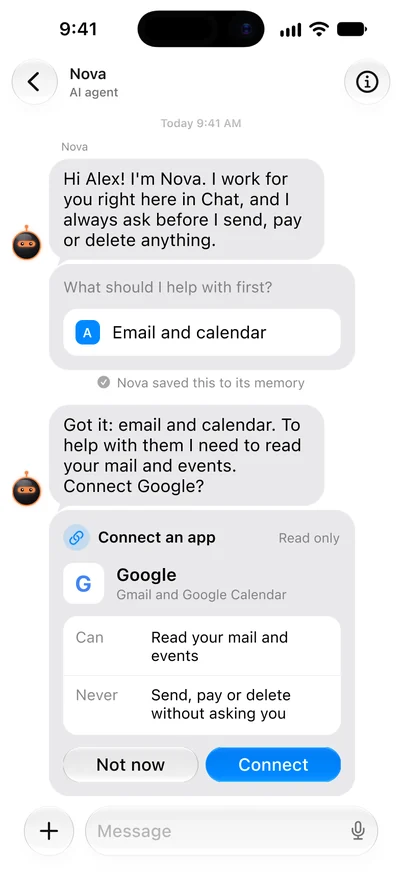
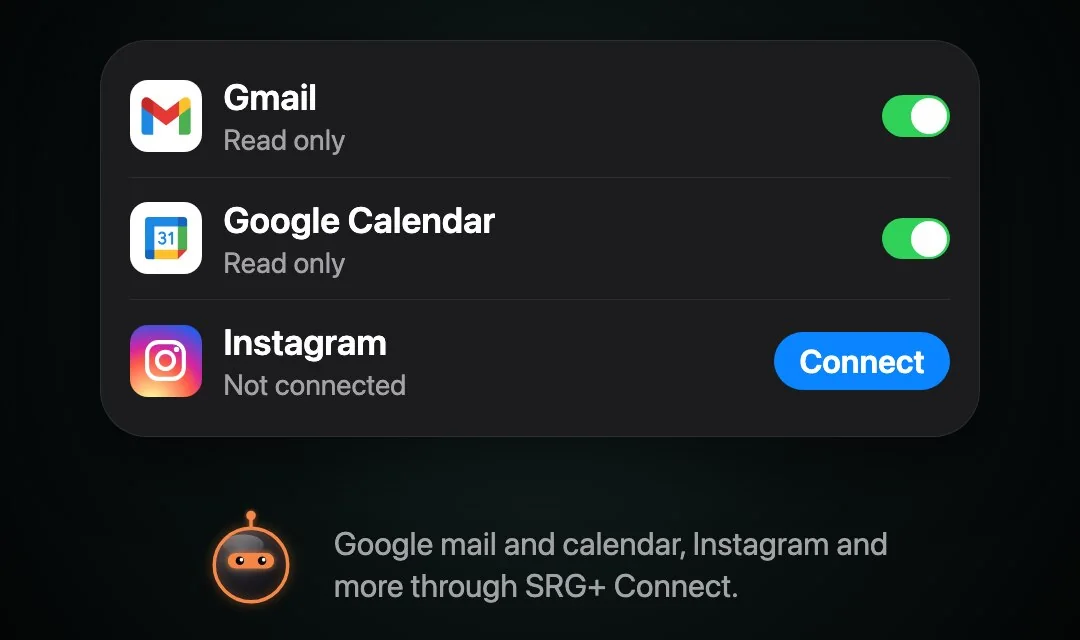
Apps connect read only to start, and only after you tap Connect.
Your first agent is free, with a number of free replies every day. Meet yours.
SRG+ Agents in 20 seconds: pick a face and a name, it writes first, your day in one message, and it asks before it acts.
What Is an AI Agent?
Most AI tools wait for you. You open a tab, you type a prompt, you copy the answer somewhere else. That is a chatbot: it answers when you ask, and the work stays with you.
An AI agent does the work. It remembers what you need, works in the apps you connect and wakes up by itself when there is something to do. The hard part is trust: an agent that can send an email can also send the wrong one.
An SRG+ agent works the other way around from a chat tab. It lives in your SRG+ Chat, and you write to it the way you would write to a person. Here is what it does, and what it never does without you.
Why We Built It: The Year of Personal AI Agents
This fall, personal AI agents went mainstream. Muse from Meta, Dots in ChatGPT, Claude Duet from Anthropic and Grok Bot from xAI each take the same idea their own way: an AI that keeps working after you close the app and writes to you when something needs you.
We got inspired. Our users kept asking us the same thing: how do I make my own agent? Until now that took a few setup steps: a profile, instructions, apps, a schedule. Grok Bot showed how simple the start can be: a name, a shape and a color.
So we took what we liked most in this wave, a face you pick in seconds, an agent that writes first, one short message in the morning and an OK before anything goes out, and made it as simple as we could. Your agent lives where your team already talks, in SRG+ Chat, it connects your apps read only through SRG+ Connect, and your first one is free.
A Face and a Name. Yours.
Every agent starts with how it looks. Pick its shape, eyes, colors and accessory, even fur, or tap Shuffle until one feels right. Then give it a name.
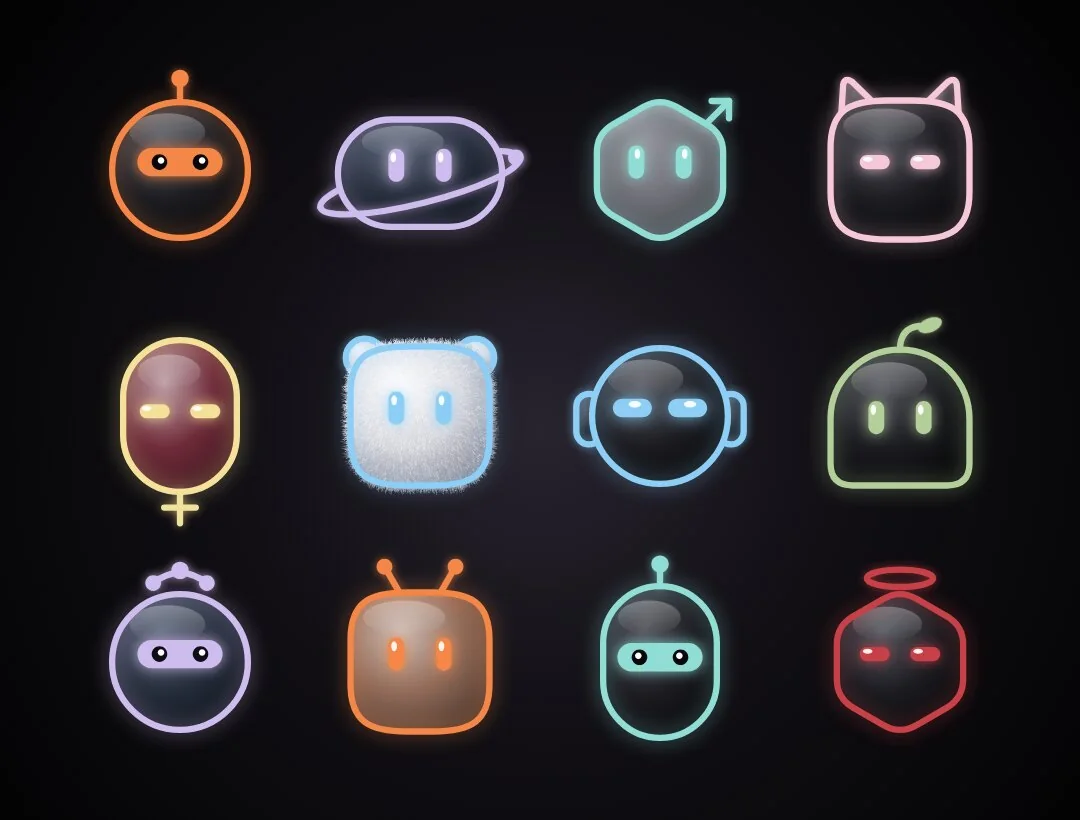
The face is not a photo, and «AI agent» sits under its name, so you always know who is talking: a person from your team, or your agent.
It Writes to You First
You don't need the perfect prompt. Your agent says hello and asks what to help with first, like analyzing your Instagram, finding what matters in your email or planning a launch for your new offer.
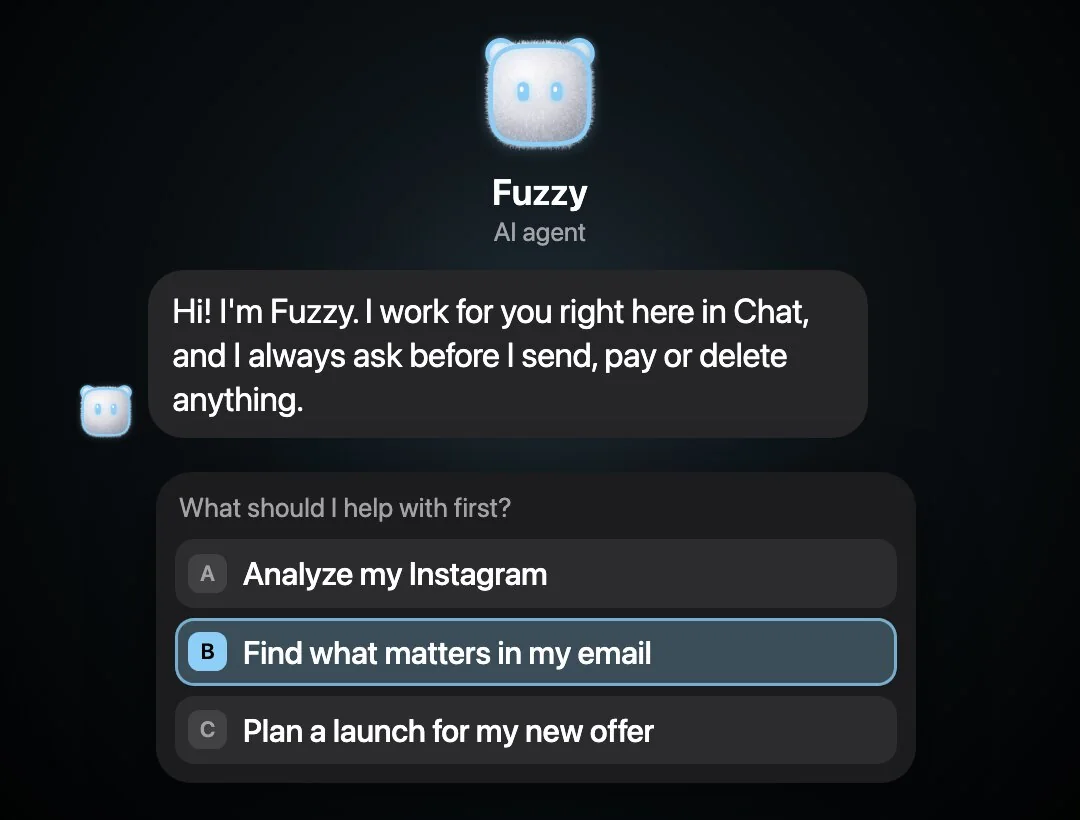
From there it learns what you need, connects the apps you choose and wakes up by itself.
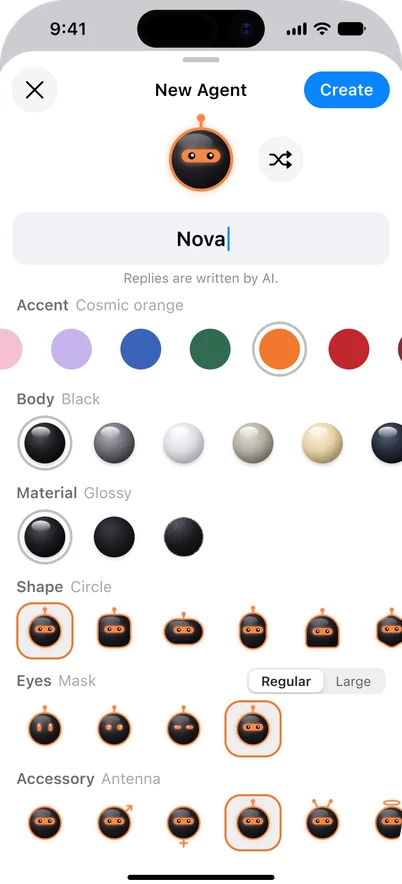
Your Day, in One Message
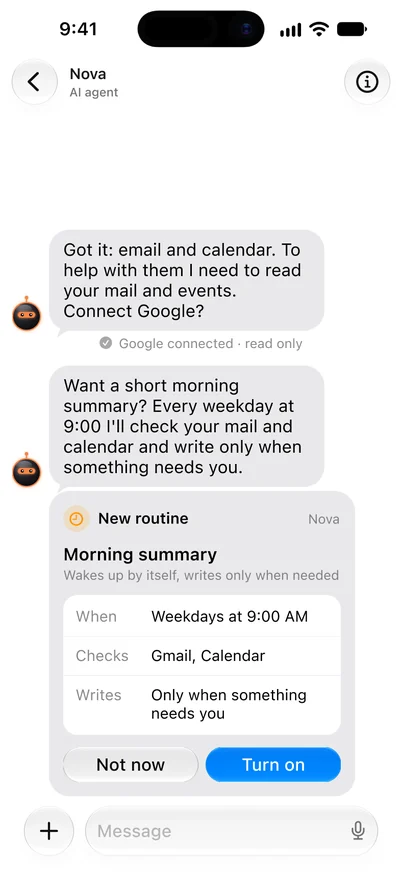
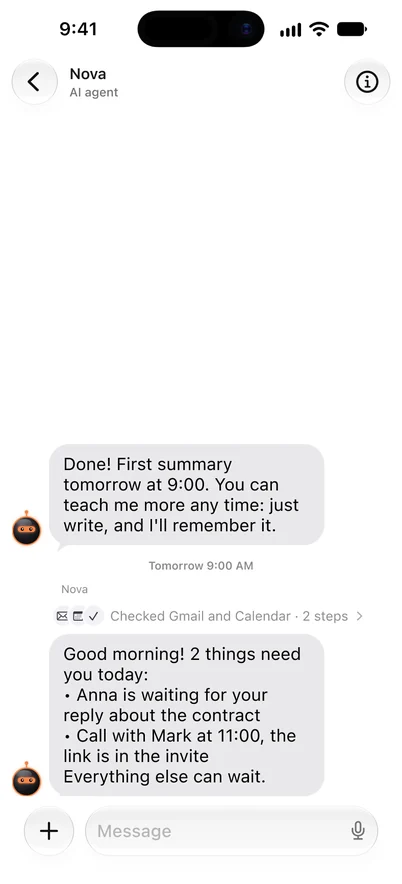
Every morning it reads your mail and calendar on its own and writes only when something needs you. A morning message can be as short as this:
Good morning! Two emails need you: Sunrise Roofing wants the quote by Friday, and Ava moved Thursday's call to 3 PM.
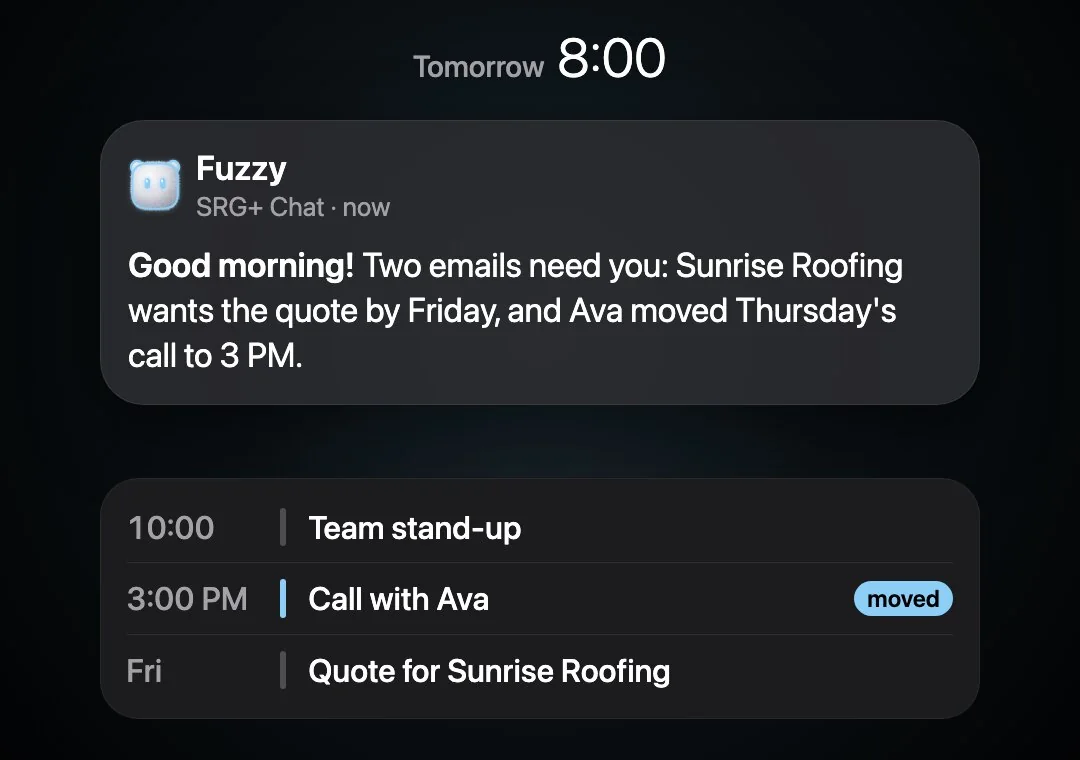
Under it, your day: the stand-up at 10:00, the call with Ava that moved, the quote that is due on Friday. Everything else can wait.
It Writes for You
Job posts, emails, launch plans and posts for your business. Ask for a weekend barista post and you get a draft with the hours, the pay, what the job is about, an Instagram version and five interview questions.
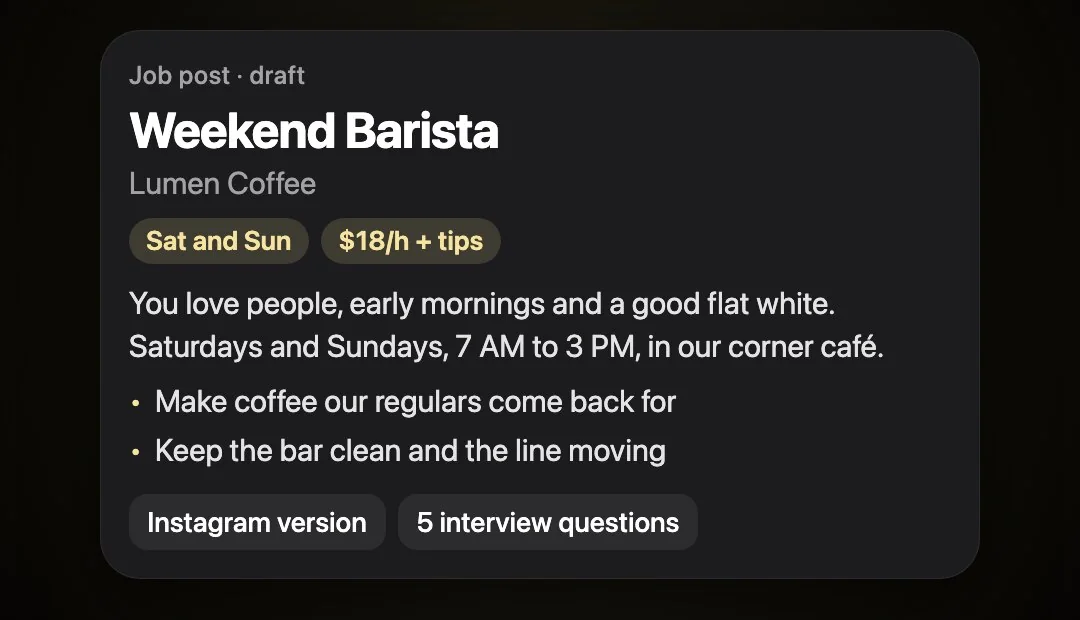
You read everything before it goes out. A few first jobs to try:
Analyze my Instagram
Find what matters in my email
Plan a launch for my new offer
Write a job post for a weekend barista
Draft a reply to this client's email
Nothing Goes Out Without Your OK
This part matters most. Before your agent sends a message or an email, posts, pays or deletes anything, it shows you exactly what it will do and waits for your OK.
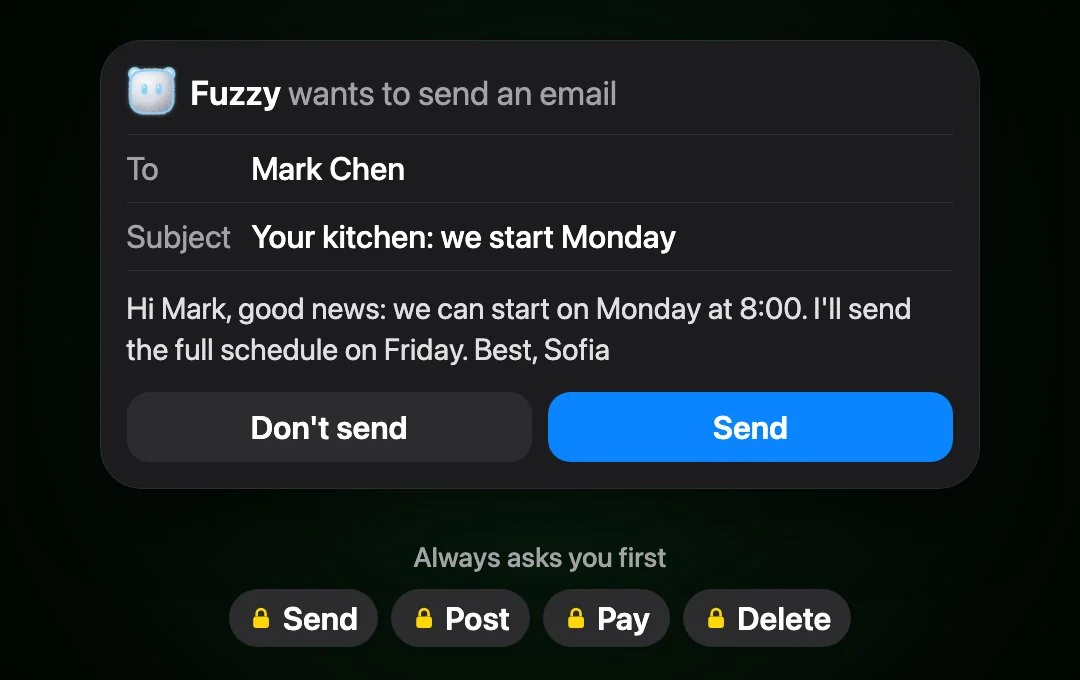
So you see the email to Mark Chen, with its subject and every word of it, and two buttons: Send or Don't send. You have the last word.
Four things always wait for you: send, post, pay and delete. Your agent can read, plan and write drafts on its own; anything that leaves your business, costs money or can't be undone waits for your tap.
Your Apps, on Your Terms
Your agent uses only the apps you connect, each with one tap and read only to start: your Google mail and calendar, your Instagram and more through SRG+ Connect. Nothing connects until you tap Connect, and you can take any app back at any time.
Free to Start
Your first agent is free, with a number of free replies every day. Make one at srgplus.app/agents and keep it with a free SRG+ account.
Who It Is For
Owners of small businesses, studios, creators and freelancers with more email, meetings and posts than hours in the day, who want an AI helper that does the work and never acts behind their back.
If your team already works in SRG+, your agent sits in the same SRG+ Chat as your people. If you use Claude or ChatGPT, SRG+ Connect brings them into your SRG+ apps too.
Meet Yours in Four Steps
Open srgplus.app/agents.
Pick a face and a name, or tap Shuffle.
Give it a first job.
Tap Keep, then sign up or sign in.
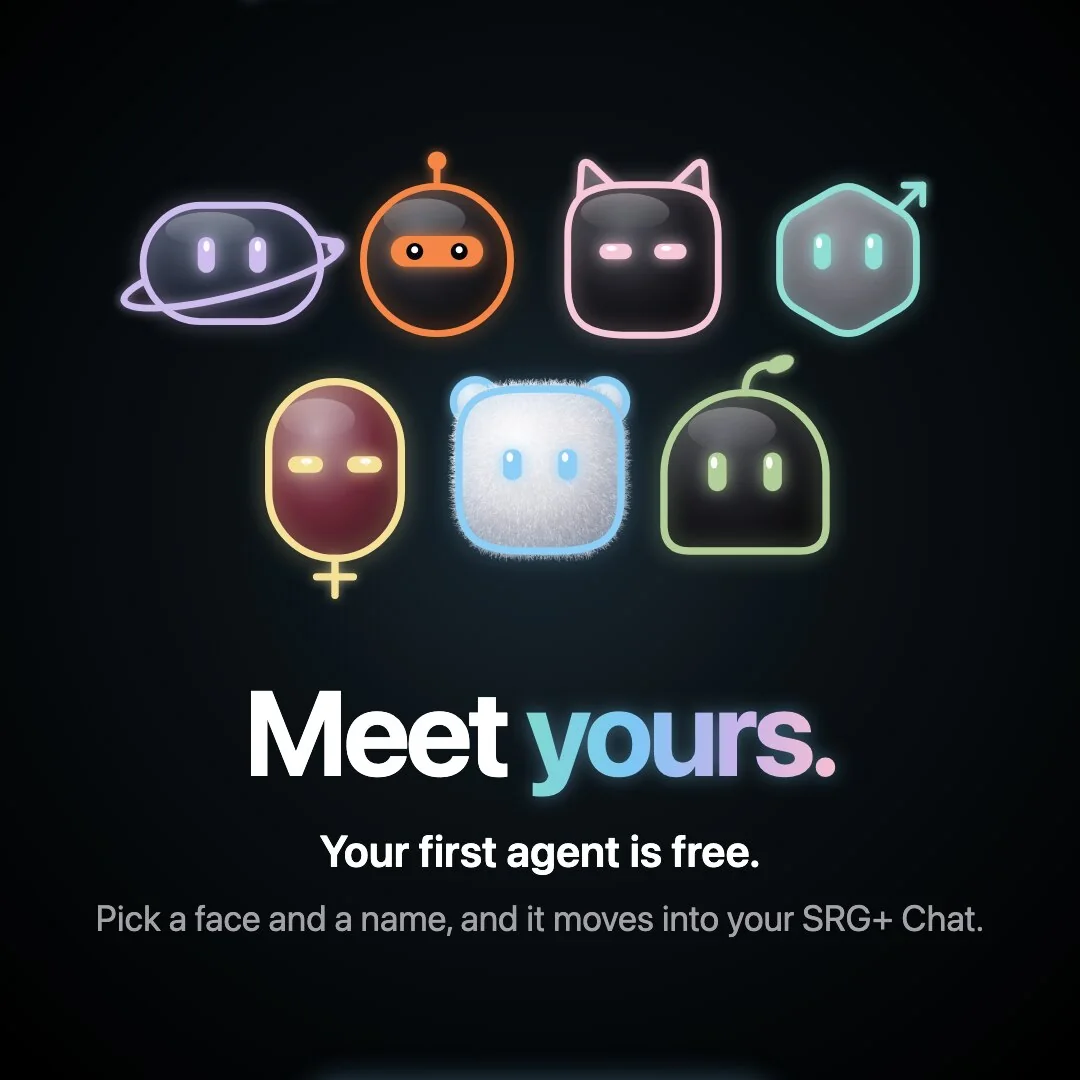
Your agent moves into your SRG+ Chat with the same face and name, and writes to you first.
Frequently Asked Questions
What is an SRG+ agent?
Your own AI helper in SRG+ Chat, with a face, a name and a memory of its own. You write to it the way you would write to a person. It works in the apps you connect, and it asks before anything important.
How is an AI agent different from a chatbot?
A chatbot answers when you ask. Your SRG+ agent writes first, remembers what you need, works in the apps you connect and wakes up by itself, and it asks before it sends, posts, pays or deletes anything.
Is an SRG+ agent like Muse, Dots, Claude Duet or Grok Bot?
It follows the same idea: a personal AI agent that keeps working and writes to you when something needs you. Yours lives in SRG+ Chat next to your team, connects your apps read only through SRG+ Connect, asks before it sends, posts, pays or deletes anything, and your first agent is free.
Do I need to write prompts?
No. Your agent says hello and asks what to help with first, like analyzing your Instagram, finding what matters in your email or planning a launch. Then you write to it the way you would write to a person.
Is it free?
Yes, to start. Your first agent is free, with a number of free replies every day.
Will it send, pay or delete things on its own?
No. Before it sends a message or an email, posts, pays or deletes anything, it shows you exactly what it will do and waits for your OK.
Which apps can it use?
Only the ones you connect, each with one tap and read only to start: your Google mail and calendar, your Instagram and more through SRG+ Connect.
What does the morning message do?
Every morning your agent reads your mail and calendar on its own and writes only when something needs you: the emails to answer and your day, in one message.
What happens when I tap Keep?
You sign up or sign in to SRG+. Your agent moves into your SRG+ Chat with the same face and name, and writes to you first.
Are the answers on the srgplus.app/agents page written by AI?
Not yet. The page shows ready answers, so nothing you type there leaves your browser. Your own agent is real AI, and it starts in SRG+ Chat after you sign up.

About the author. Serge Creator runs Serge Creator Studios, a creative studio that edits videos, shoots and edits photos, designs graphics and builds brands. SRG+ started as the studio's own tool, built for its own work, and its agents now do much of that work, with a person giving the last word.
It Does the Work. You Have the Last Word.
Meet your agent at srgplus.app/agents: pick a face and a name, give it a first job and keep it.
Powered by SRG+ · Serge Creator Studios · sergecreator.com